
Dataset
A Dataset is a set of metadata identifying a specific location within the associated Datasource.
Dataset Management
You can access the dataset management panel from the sidebar menu:
Viewing Datasets
Once the dataset management panel is open, you will see the list of available datasets, specifically those:
- Public
- Of the Teams you belong to
- Your private ones
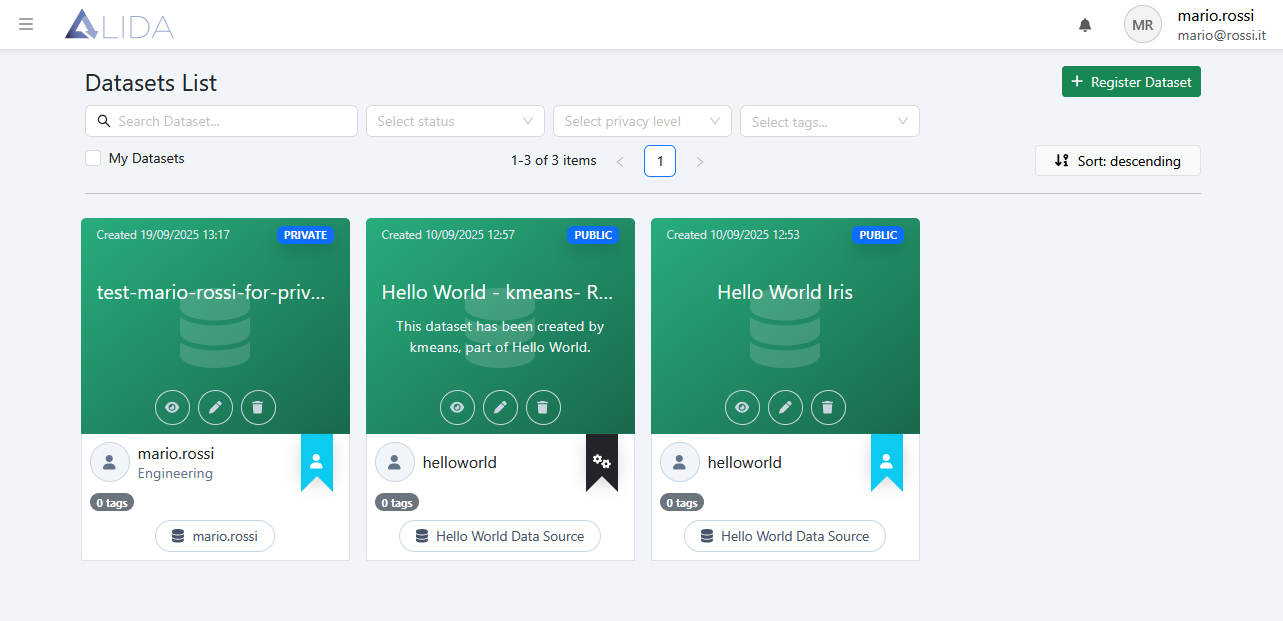
For each dataset, you can:
| Function | Button |
|---|---|
| View a preview |  |
| Access the edit form |  |
| Delete it |  |
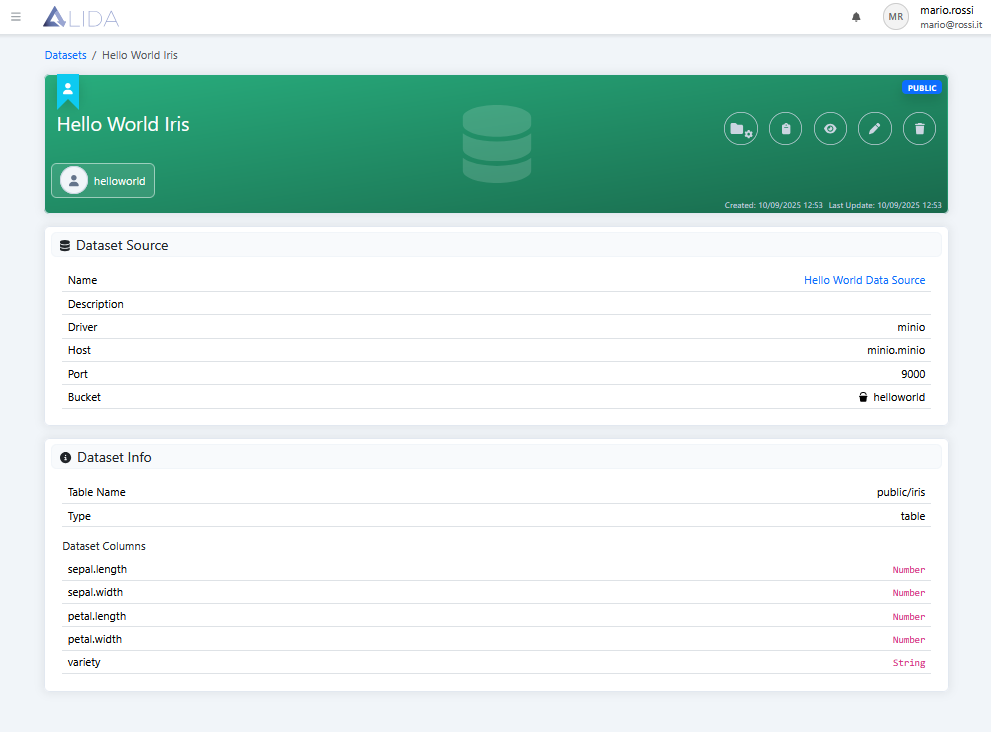
| View details by clicking on the relative card | (card) |
From the details page, in addition to viewing information about the dataset and associated datasource, it is possible to add the dataset to a Project through the button 
Dataset Registration / Modification
See the Dataset Upload section of the quickstart.