Service
A Service is an independent, Dockerized program capable of processing data. It can be of two types:
- Batch: It is started, processes data, and terminates its execution.
- Streaming: It is started and processes data for an indefinite period until the Workflow containing it is interrupted.
A Service is characterized by:
- I/O Ports
- User-configurable execution parameters
I/O Ports represent the input and output interfaces of the Service, and allow it to interact with other ALIDA Assets (Datasets, other Services, Models) within a Workflow.
Management of Services
The ALIDA catalog natively includes a series of ready-to-use Services for the creation of Workflows.
For information on how to create custom ones, visit Creation of a Service
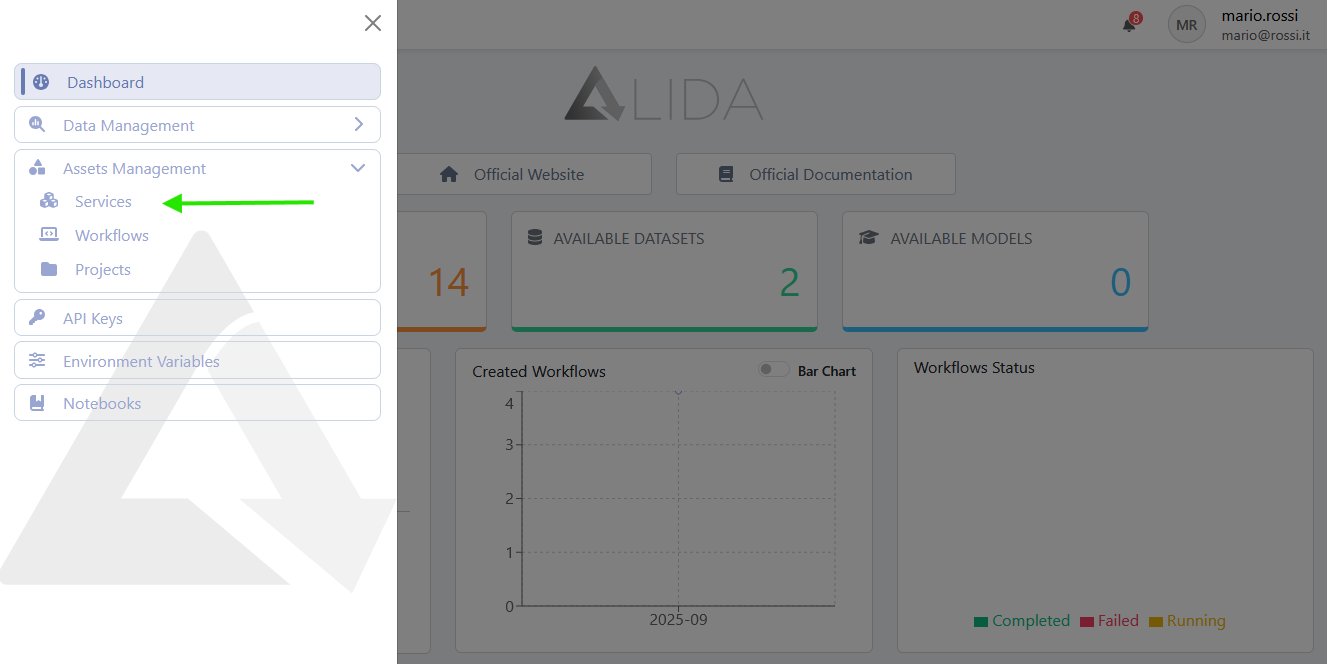
To access the Service management page, access it from the sidebar menu as shown in the following figure:
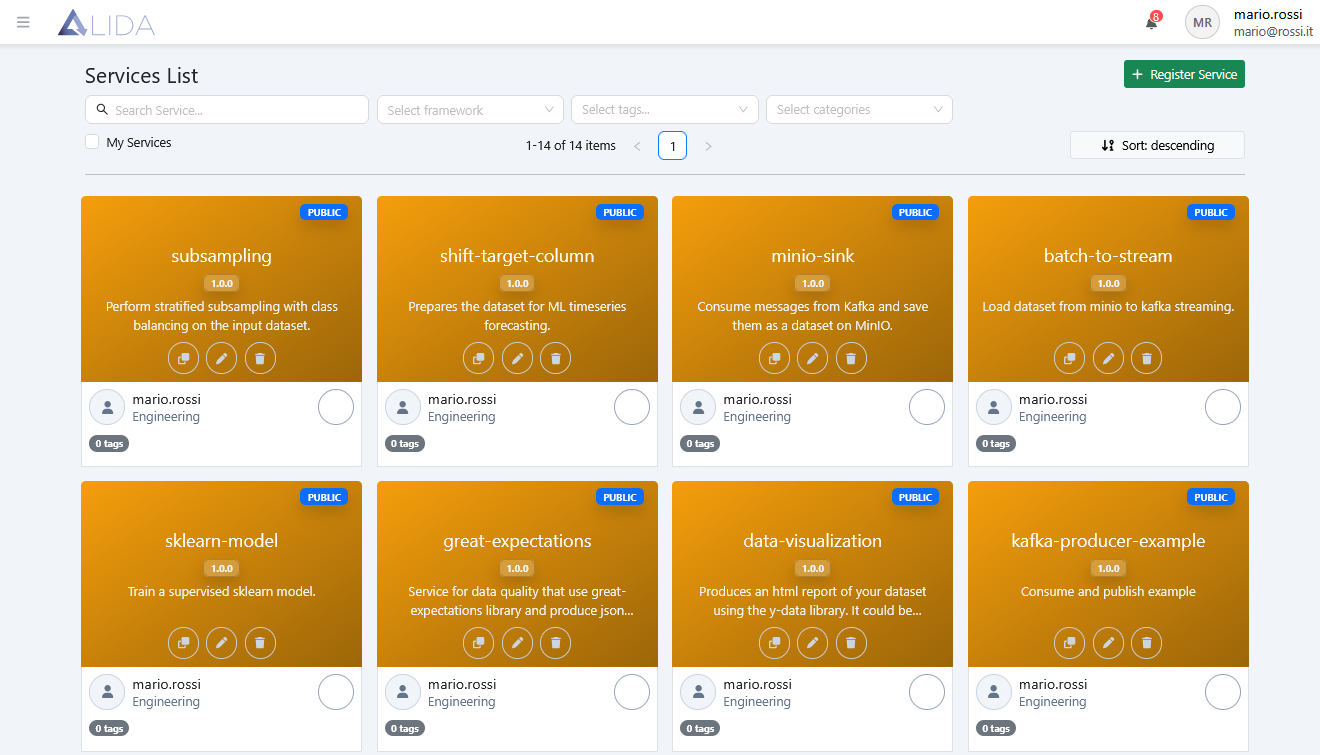
Once you have reached the page, you will find the list of Services.
From the top bar, it will be possible to: 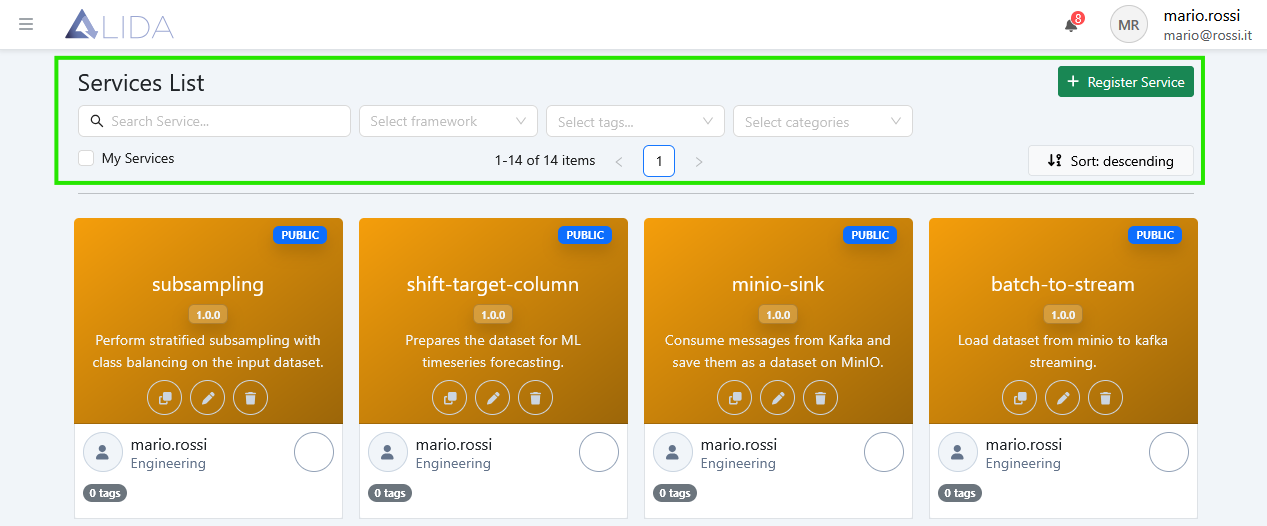
- Access the Service registration form
- Search for Services
- Filter by framework
- Filter by tag
- Filter by categories
- Show only "My Services"
- Sort the Services
- Change page
From each Service card, the following functions are also available:
Cloning a Service
Clicking on  will create an independent catalog copy of the Service in question.
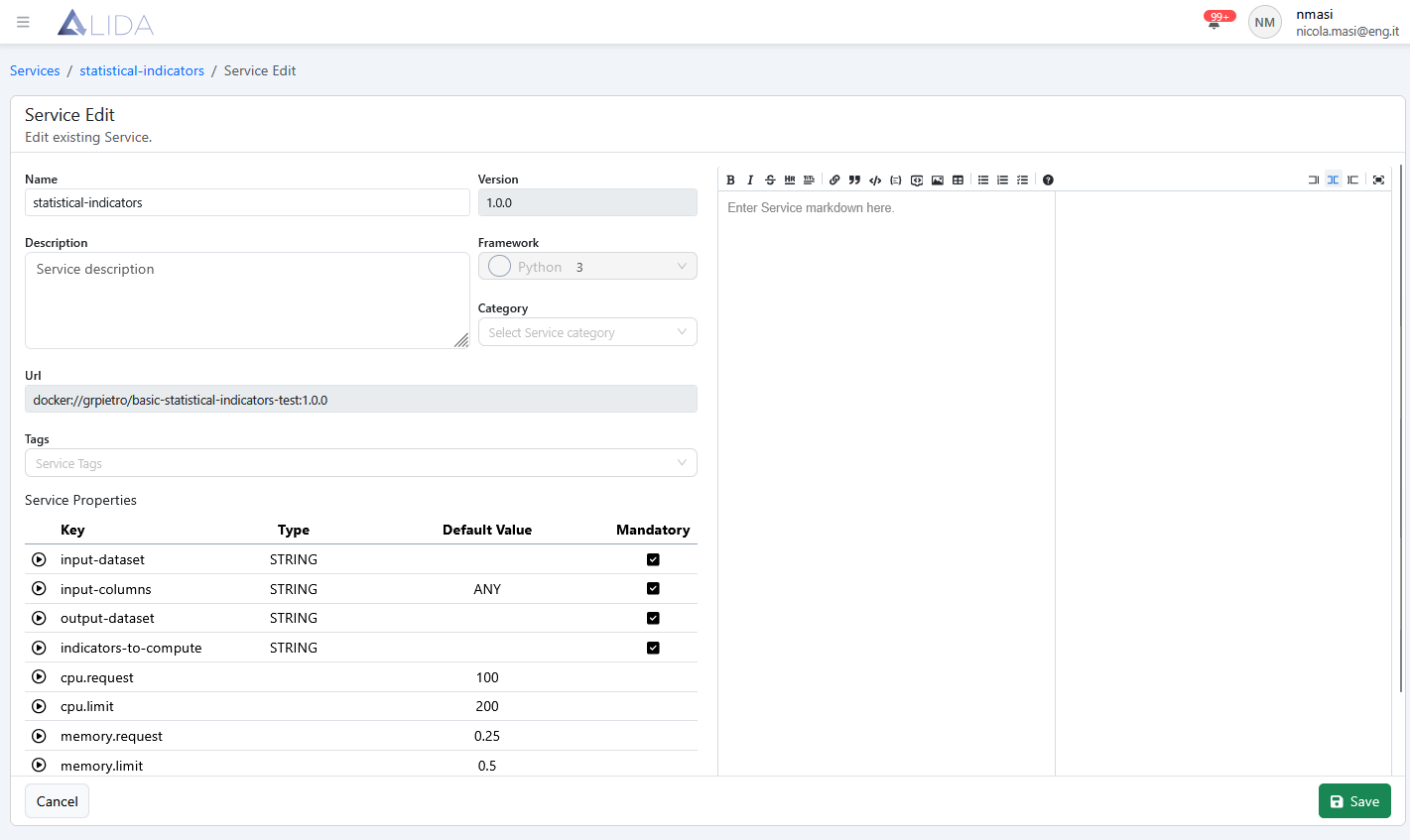
Editing a Service
Clicking on  will allow you to modify some of the metadata of the Service, such as:
- Name
- Description
- Category
- Service Tags
- Documentation in Markdown
Deleting a Service
Clicking on  will allow you to delete the Service from the catalog.
Assigning the Service to a Project
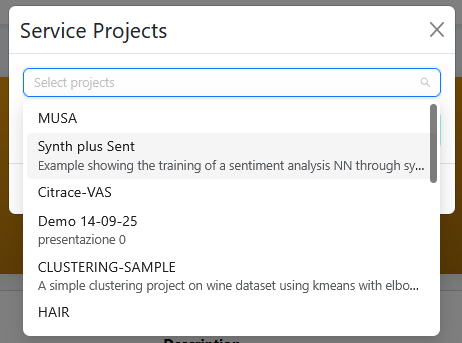
Clicking on the card of a Service will open its detail page, from which you can access the Manage Projects function  .
.
A dropdown menu will open and you will be able to choose a Project to add the Service to.
Annotating Services
Within the Workflow Designer, it is possible to associate a set of structured annotations with each Service component of the Workflow.
These annotations must previously be defined by an administrator from the Control Panel (see Definition of Annotations)
To annotate a Service:
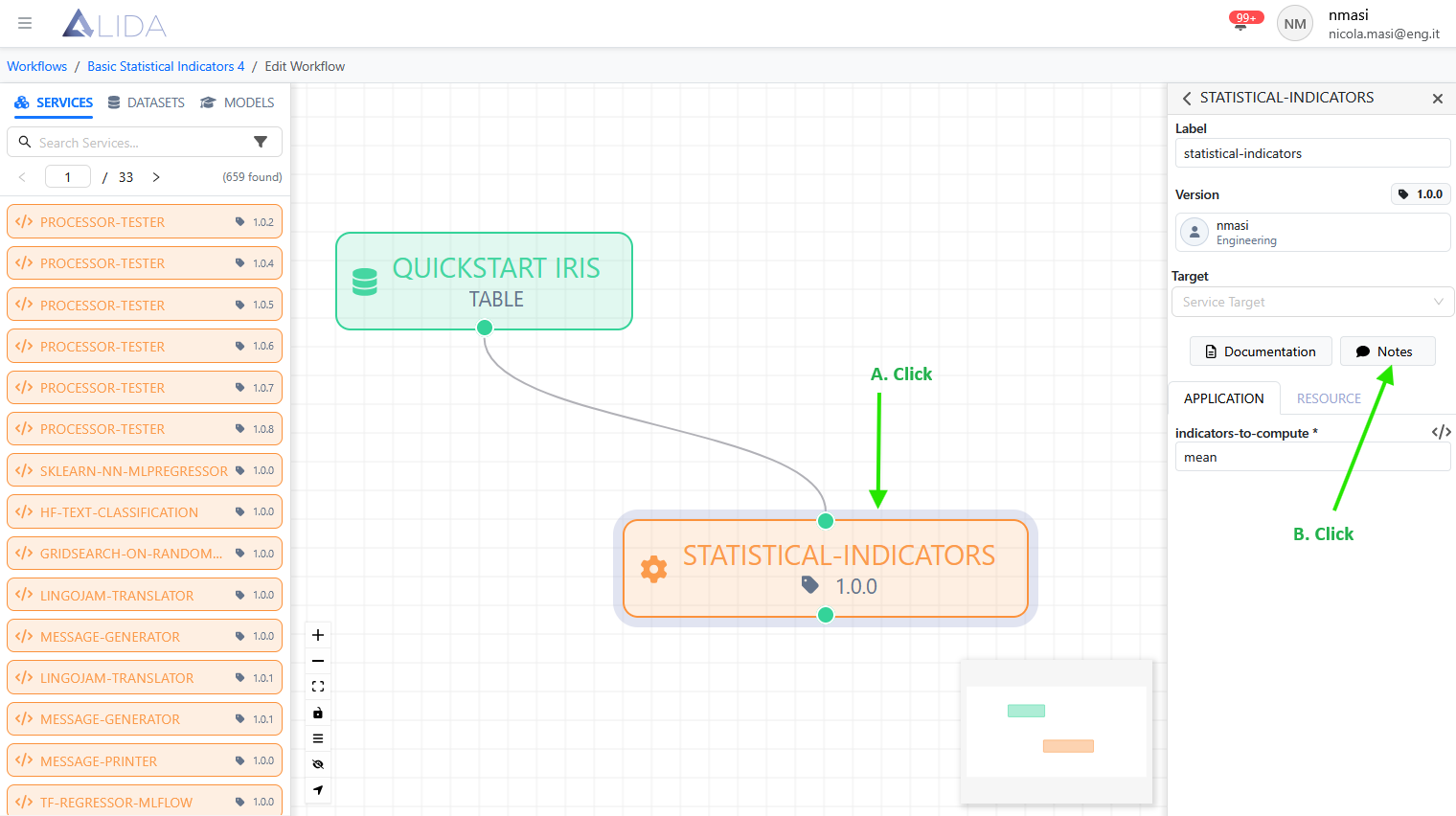
Open the Workflow Designer for the desired Workflow
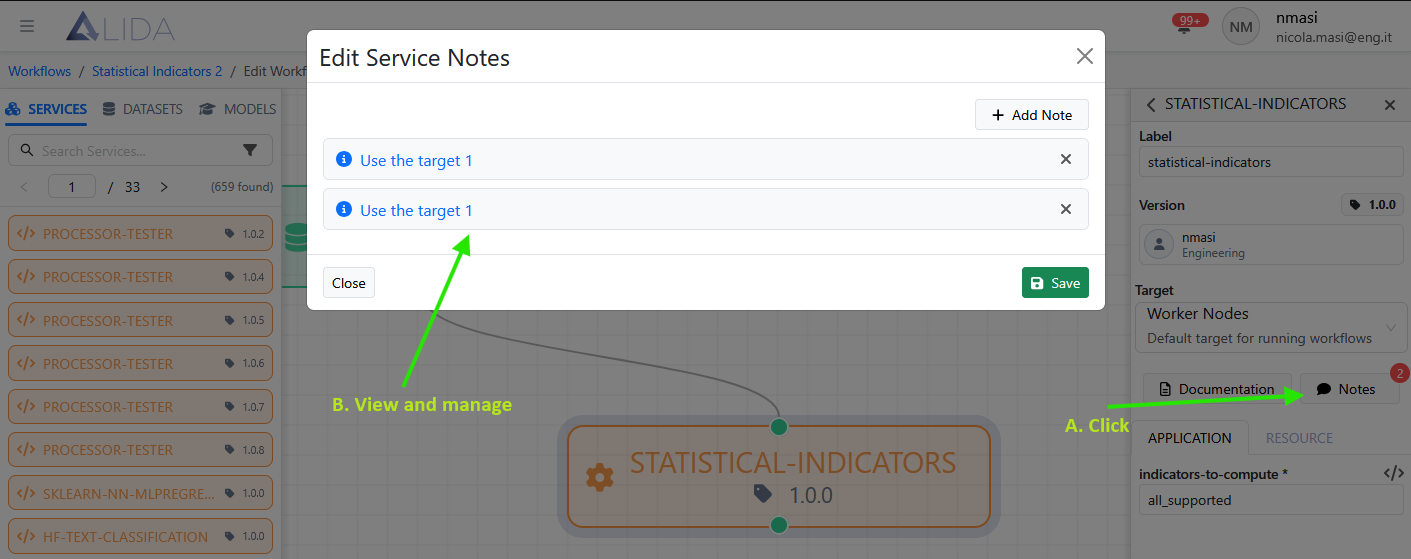
Click on the Service to be annotated and then on Notes on the right
In the dialog that opens, click on
 and select the desired annotations from the dropdown menus: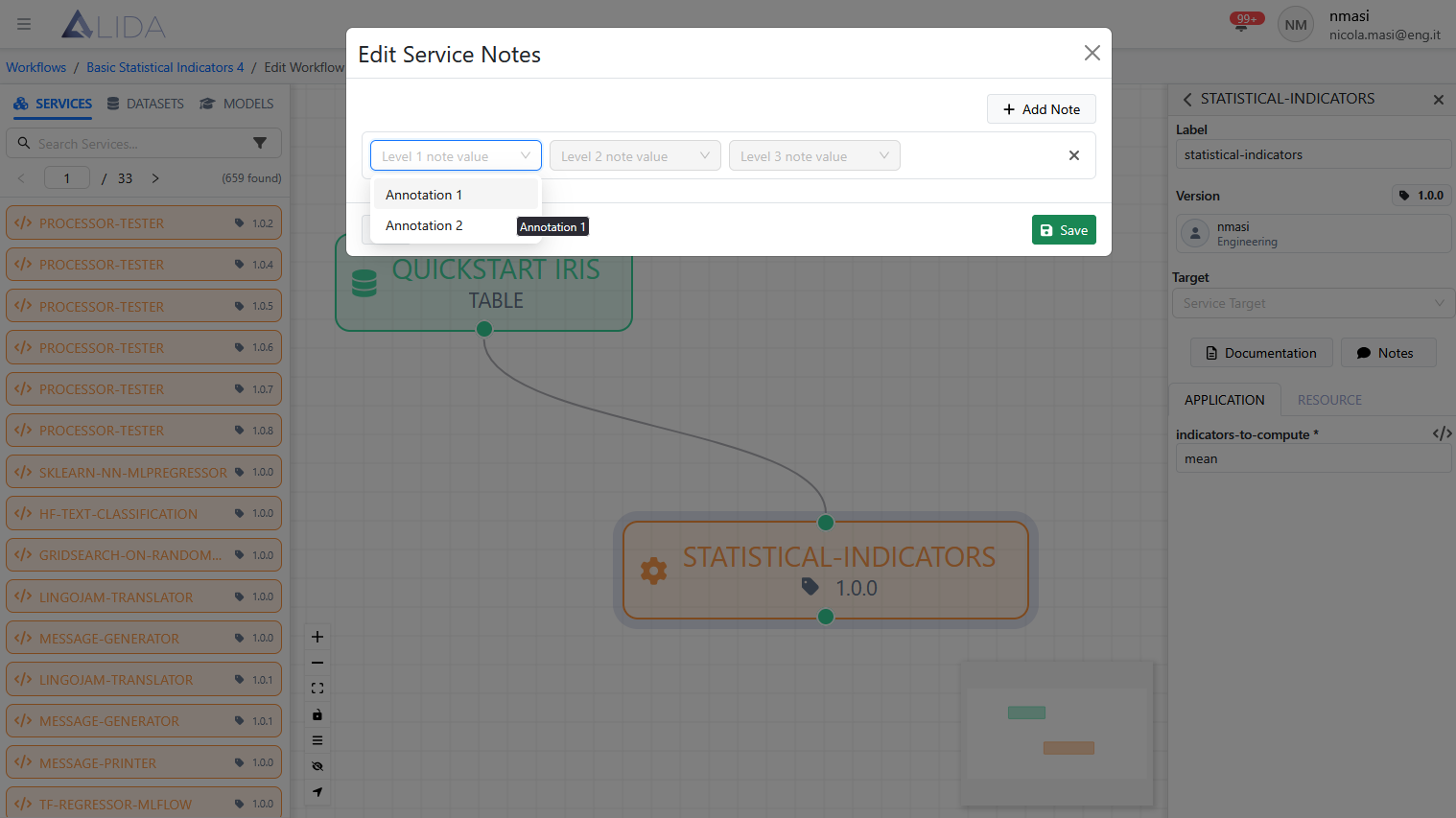
Finish by clicking on Save
Once finished, it will be possible to:
- View the inserted annotations
- Delete them
- Add other annotations