
Manual Definition of the Service Metamodel
In Asset -> Service we saw how to define Service Properties for the Service using the graphical interface. Behind the scenes, ALIDA converts what is entered interactively into a JSON metamodel. This JSON can also be defined manually and loaded from the UI.
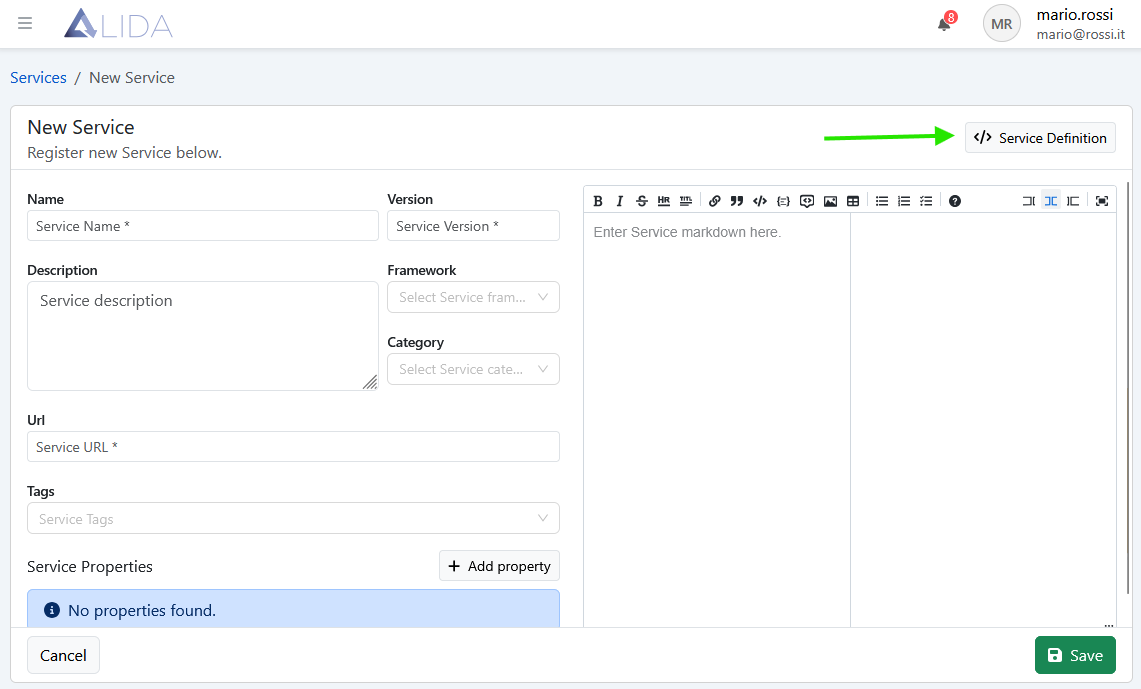
To access the metamodel JSON editor, go to the Service registration panel and click on Service Definition
The editor for entering the metamodel will open:
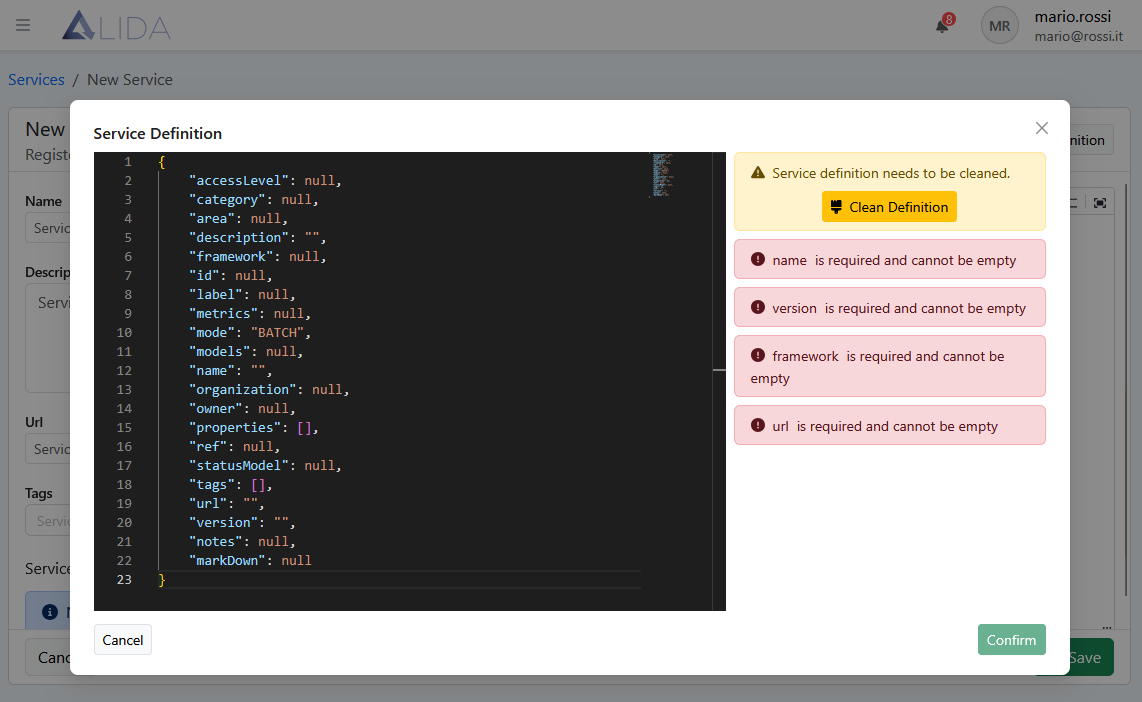
| Attribute | Description |
|---|---|
name | Unique name of the Service |
version | Version of the Service |
description | Brief textual description of the Service |
url | The URL of the Docker image of the Service, with the docker:// prefix and version tag. Example: docker://dockerhub.alidalab.it/alida/restricted/services/great-expectations:1.1.0 |
accessLevel | Service visibility level |
properties | Array of property (the list of Service parameters and I/O ports) |
markdown | Textual documentation in markdown format associated with the Service and displayed in the UI |
For the generic property, element of the properties array, the attributes are:
| Attribute | Description |
|---|---|
key | Unique identifier of the property. Used as a reference in code and in UI |
description | Descriptive text displayed in UI |
type | Property type (application, resource, static). Determines the property behavior |
mandatory | *Indicates whether it is mandatory (true |
defaultValue | Default value. Always string/number; JSON serialized as string |
valueType | *Type of expected value (string |
invisible | *Whether to display or not the property in UI (true |
model | Additional info if the property is key = input-model { "format": "sklearn" } |
extra | Additional info if the property is key = output-dataset { "format": "generic" } |
For more information visit Service Development > Service Registration
General JSON syntax for the metamodel