
Model
A Model, in Alida, collects metadata and files implementing a machine learning model.
Management of Models
The Models management page is accessible from the sidebar menu:
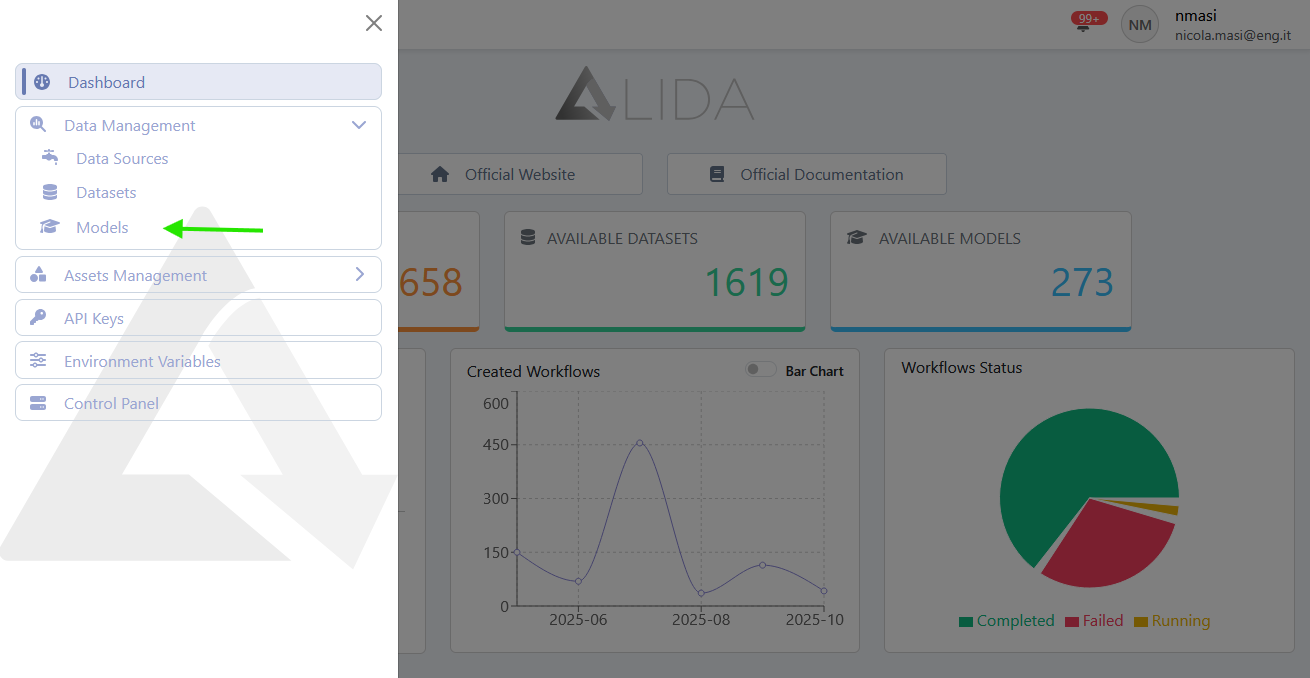
From there, it is possible to view the list of Models available in the catalog:
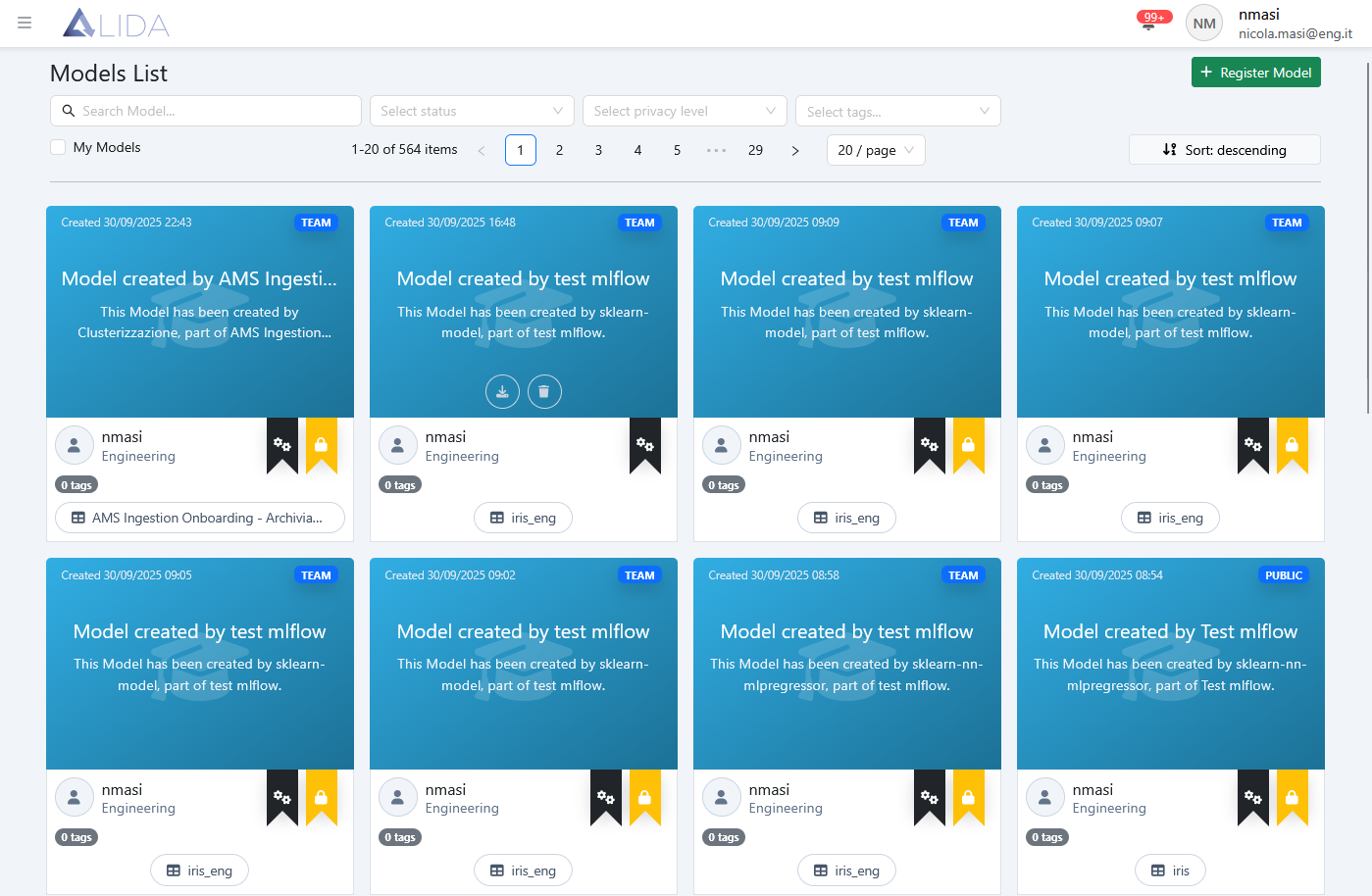
Here, from the top bar, it is possible to: 
- Search for Models by keywords
- Filter Models by status
- Virtual (
 )
) - Created
- Virtual (
- Filter by Privacy level
- Filter by tags
- Sort and change page
- Access the Model registration form
Furthermore, from each Model card, it is possible to access the following functions:
Download the Model to the local computer

Delete the Model

New Model Registration
To register a new Model, click on + Register Model from the Models management page; the registration form will open:
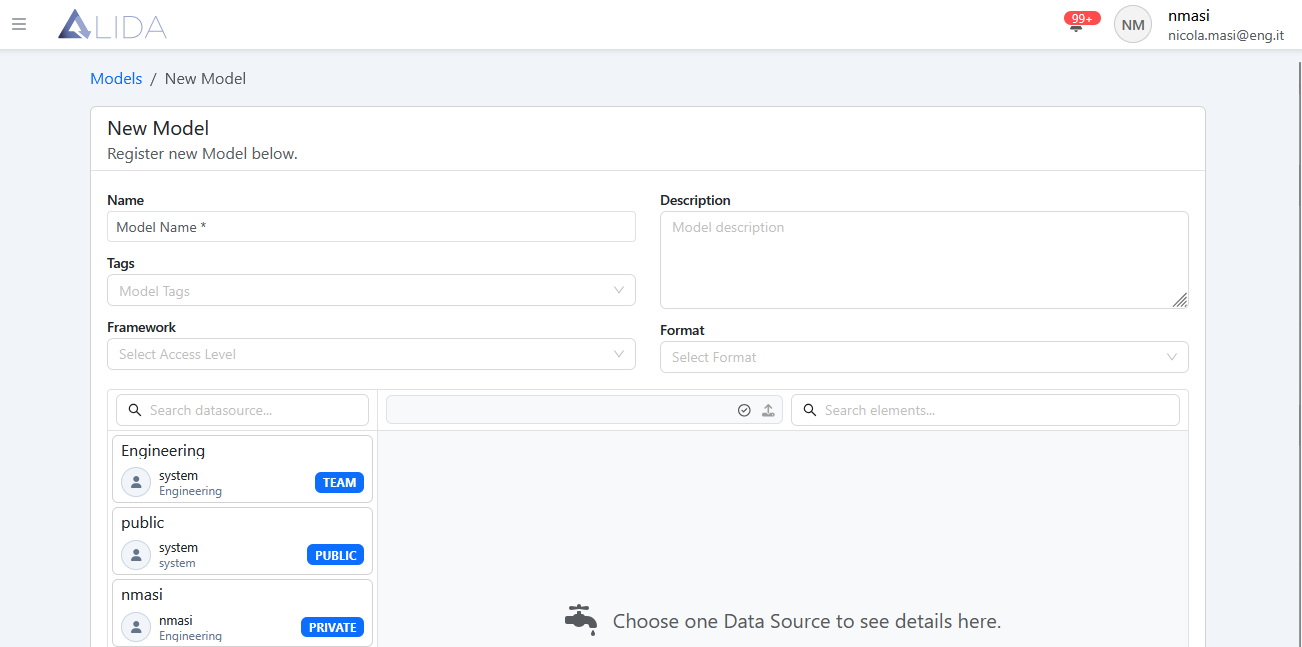
At this point, the procedure is entirely analogous to what was seen during the Quickstart for uploading a Dataset (see Dataset Upload in Quickstart)
The only difference is that here you can also select the format of the Model to be uploaded.
The supported formats are the following:
| format (Alida) | Framework / use | implementation in model-settings.json | parameters.uri (what it points to) | Main notes | Documentation |
|---|---|---|---|---|---|
| SKLearn | Serialized scikit-learn models (joblib/pickle) | mlserver_sklearn.SKLearnModel | Model file: e.g. ./model.joblib or ./model.pkl | Tabular sklearn models saved via joblib/pickle. | https://github.com/SeldonIO/MLServer/tree/master/runtimes/sklearn |
| XGBoost | XGBoost models | mlserver_xgboost.XGBoostModel | Model file: e.g. ./model.json or ./model.bst | Models saved with XGBoost API (save_model). | https://github.com/SeldonIO/MLServer/tree/master/runtimes/xgboost.html |
| LightGBM | LightGBM models | mlserver_lightgbm.LightGBMModel | Model file: e.g. ./model.txt / ./model.bst | Artifacts exported with Booster.save_model. | https://github.com/SeldonIO/MLServer/tree/master/runtimes/lightgbm.html |
| MLFlow | Models saved or registered with MLflow | mlserver_mlflow.MLflowRuntime | MLflow directory, e.g. ./model or models:/MyModel/1 | Uses the MLflow folder (MLmodel, environment, etc.). | https://github.com/SeldonIO/MLServer/tree/master/runtimes/mlflow.html |
| HuggingFace | HuggingFace Transformers models/pipelines | mlserver_huggingface.HuggingFaceRuntime | Not always necessary; often configured via extra | For NLP/LLM; configuration via parameters.extra. | https://github.com/SeldonIO/MLServer/tree/master/runtimes/huggingface.html |
| Spark Mlib | Spark MLlib models | mlserver_mllib.MLlibModel | Path to pipeline saved from Spark MLlib | Loads pipelines exported via model.write().save. | https://github.com/SeldonIO/MLServer/tree/master/runtimes/mllib.html |
| Python | Custom models in Python | E.g. mlserver_python.PythonModel or your subclass | Directory with Python code + optional model file | Allows implementing load() and predict() manually. | https://github.com/SeldonIO/MLServer/tree/master/runtimes/python.html |
| MLServer | Catch-all for generic runtimes (Tempo, Alibi, custom) | Depends on the desired runtime | Directory with runtime artifacts (Tempo, Alibi, etc.) | Used for runtimes not covered above. | https://github.com/SeldonIO/MLServer/blob/master/docs/user-guide/custom.md |