RAG chat with Loaders
A RAG (Retrieval-Augmented Generation) chat answers questions using your own documents. You do not train any model: ALIDA splits the documents into chunks, turns them into embeddings, and passes the most relevant chunks to the LLM as context for each question.
You set up a RAG chat in two steps:
- create one or more Loaders, the sources the documents are read from;
- create a Rag, embed its Loaders, and configure the models it uses.
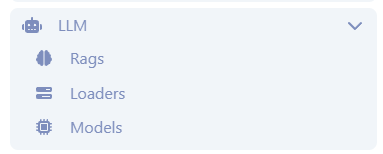
Both are in the LLM section of the side menu, under Rags and Loaders.
Loaders
A Loader says where the documents come from and how to read them. Once created, the same Loader can be embedded in several Rags.
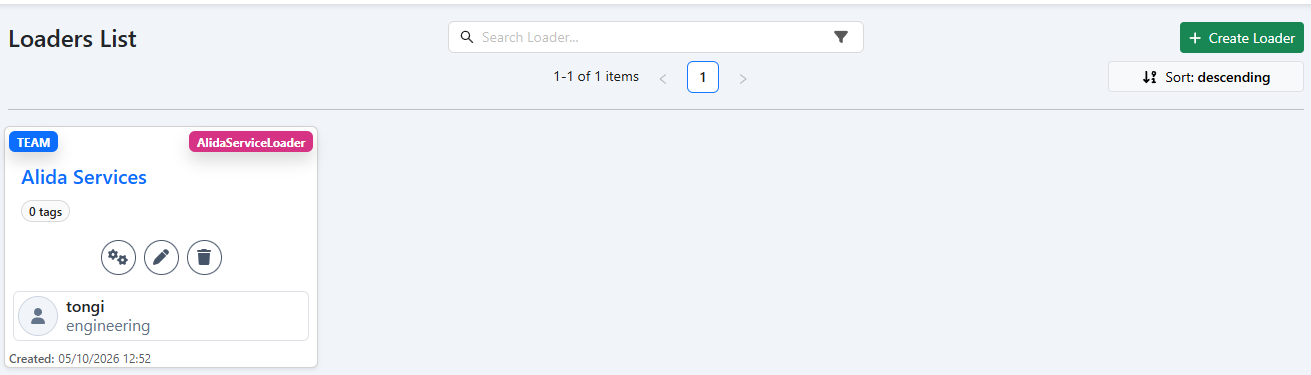
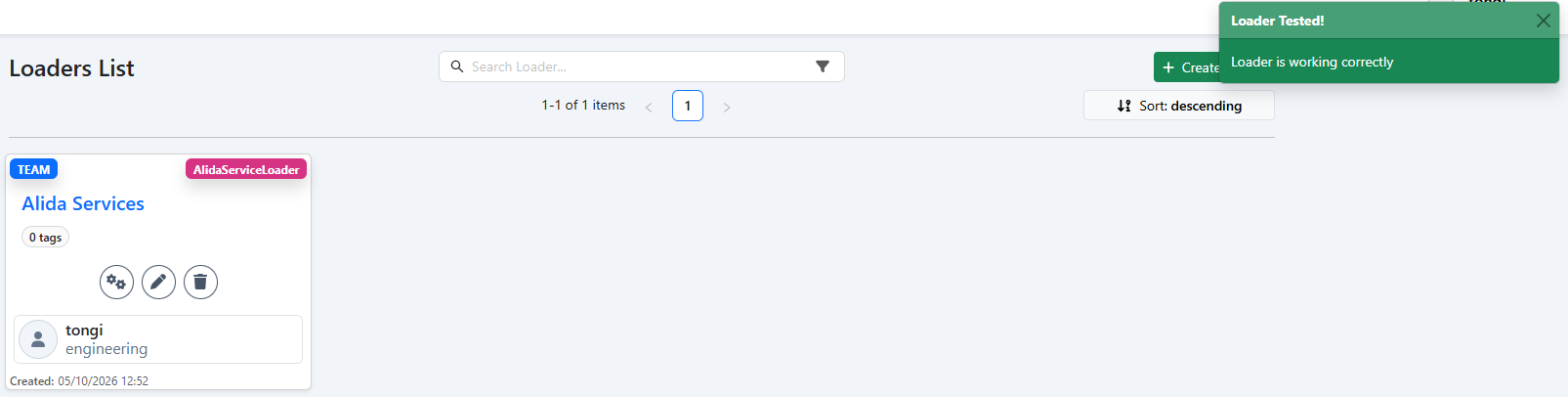
Click the Loader name to browse its chunks (see Test a Loader). Each card also has three buttons:
| Button | Action |
|---|---|
| ⚙ | Tests the Loader: ALIDA reads the source and reports whether it works. |
| ✎ | Edits the Loader. |
| 🗑 | Deletes the Loader. |
Create a Loader
Go to LLM → Loaders and click Create Loader.
Fill in the common fields:
Field What to enter Name The name shown in the list and when embedding the Loader in a Rag. Description Optional. What the documents are about. Privacy Level Who can see and use the Loader, for example Team.Tags Optional. Used to find the Loader in the list. Loader Class How the documents are read. See the table below. Choose the Loader Class:
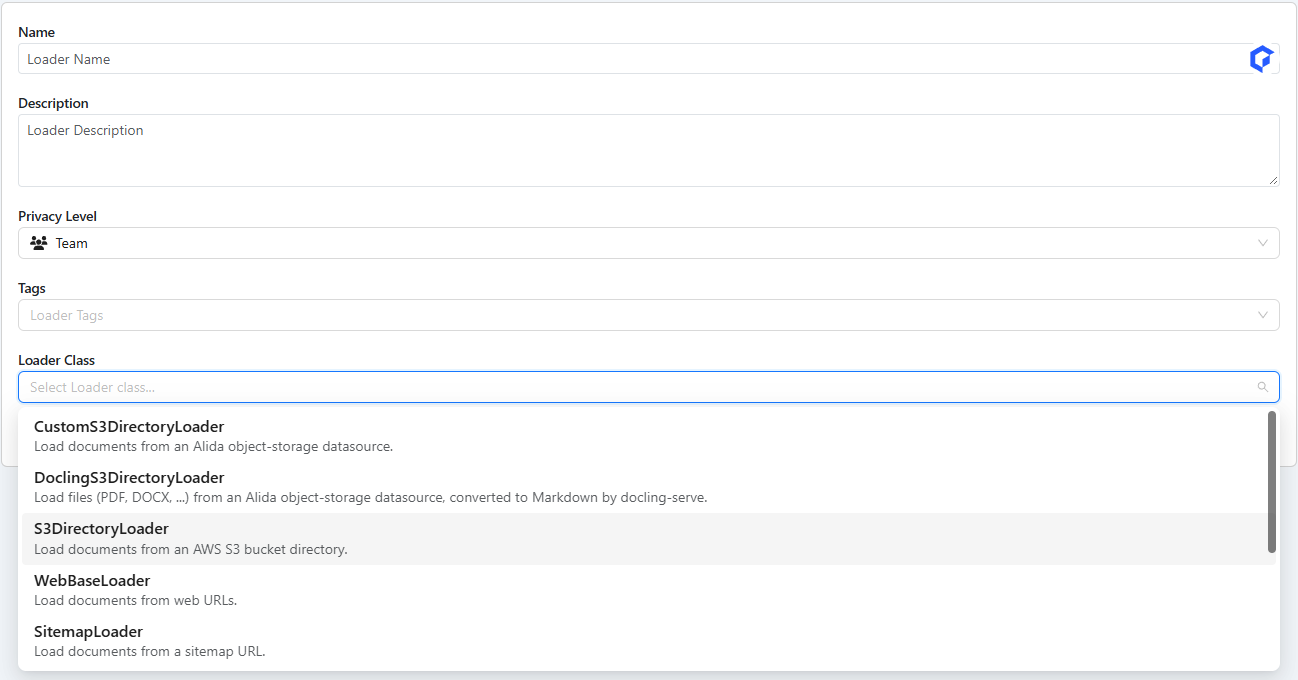
The classes and their fields are described in Loader classes.
Fill in the fields required by the class you chose. For
CustomS3DirectoryLoader, for example:- Datasource: the ALIDA datasource that holds the documents;
- Path: the folder of the bucket to read, chosen from the file browser. All the documents under that prefix are loaded.
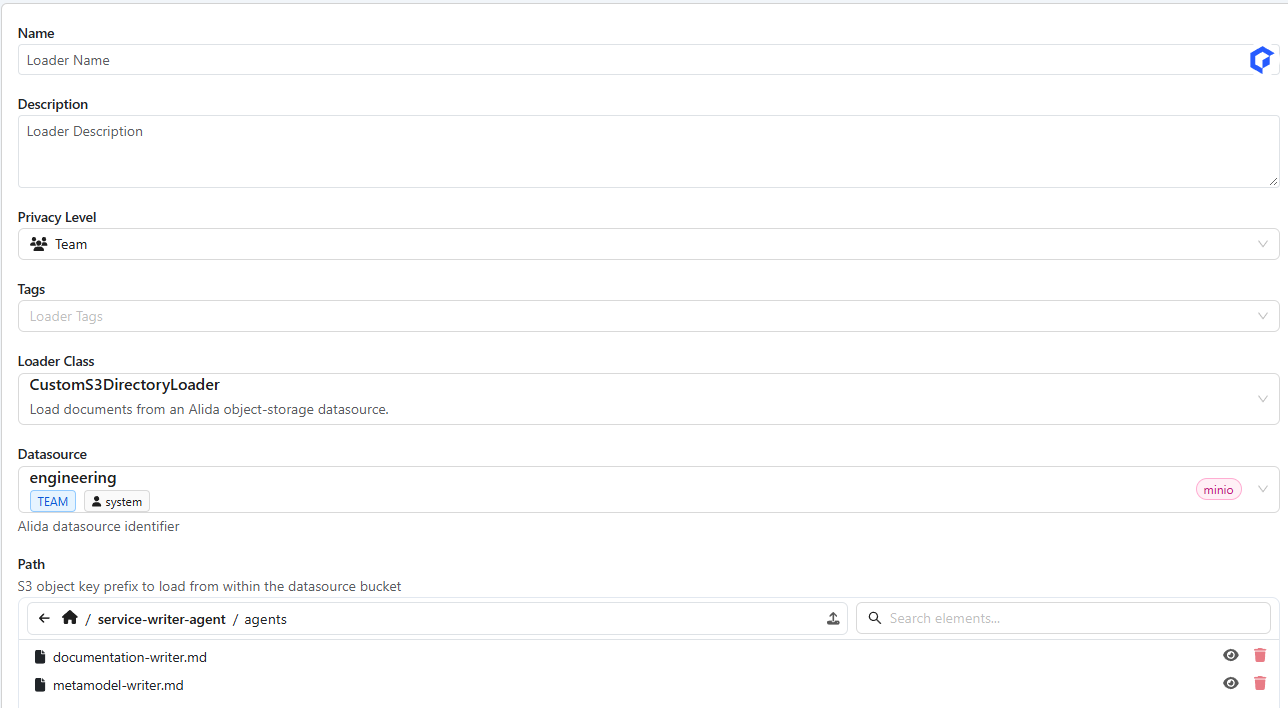
Save the Loader.
Loader classes
The classes fall into three groups, depending on where the documents come from. The administrator chooses which classes are offered, so your installation may show only some of them.
Object storage
| Loader Class | What it loads | Fields |
|---|---|---|
CustomS3DirectoryLoader | The files under a folder of an ALIDA object-storage datasource. Bucket, endpoint and credentials are taken from the datasource. | Datasource, Path. Optional: API Version, Verify SSL, AWS Session Token. |
DoclingS3DirectoryLoader | Like CustomS3DirectoryLoader, but each file is converted to Markdown by docling-serve first. Use it for PDF, DOCX and other non-text files: tables and layout are kept. Files in formats docling does not accept are skipped. | Same as CustomS3DirectoryLoader. |
S3DirectoryLoader | The files under a prefix of any S3-compatible bucket that is not registered as an ALIDA datasource. You enter the connection details by hand. | Bucket, Prefix, Region Name, Endpoint URL, AWS Access Key ID, AWS Secret Access Key, AWS Session Token, Use SSL, Verify SSL, API Version. |
Web
| Loader Class | What it loads | Fields |
|---|---|---|
WebBaseLoader | The text of a list of web pages. | Web Paths. Optional: Requests Per Second (default 2), Default Parser (html.parser), Raise For Status, Verify SSL. |
SitemapLoader | Every page listed in a sitemap.xml. | Sitemap URL. Optional: Filter URLs (URL or regex patterns to keep), Requests Per Second (default 2). |
DoclingLoader | Documents published on the web (PDF, DOCX, HTML, ...), converted to Markdown by docling-serve. | Web Paths, for example https://arxiv.org/pdf/2206.01062. |
ALIDA catalogue
These classes have no fields: they read the ALIDA catalogue and make one document for each item, with its name and description. Use them to build a chat that answers questions such as "which service can I use to read from Kafka?".
| Loader Class | What it loads |
|---|---|
AlidaServiceLoader | The services of the catalogue. |
AlidaDatasetLoader | The datasets of the catalogue. |
AlidaBdaLoader | The BDA applications of the catalogue. |
For AlidaServiceLoader and AlidaDatasetLoader, the Privacy Level of the Loader limits which items are loaded, so that a shared Loader never exposes private items:
| Loader Privacy Level | Items loaded |
|---|---|
Private | Private, team and public items. |
Team | Team and public items. |
Public | Public items only. |
Docling takes time
The Docling classes convert each file before splitting it, which can take minutes for long PDFs. During embedding the progress bar can stay at the start for a while: this is expected.
Test a Loader
Click ⚙ on the Loader card. ALIDA reads the first document of the source and, if it succeeds, shows Loader Tested! Loader is working correctly. Otherwise the message reports the error.
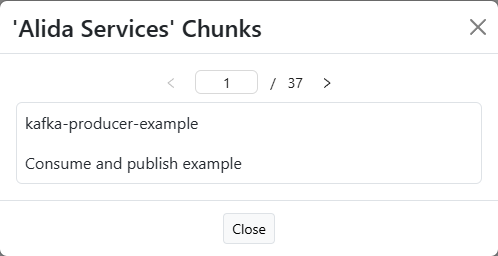
To check that the documents are split as expected, click the Loader name: the chunks it produces open in a window, one at a time. They are split exactly as they will be embedded: about 1000 characters each, with 200 characters of overlap between consecutive chunks.
Rags
A Rag is a chat with its own Loaders and its own model configuration.
Create a Rag
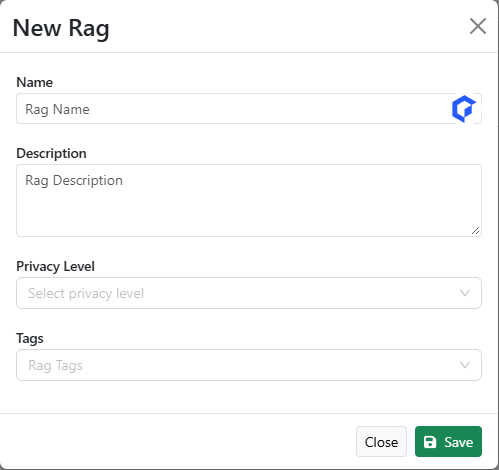
Go to LLM → Rags and create a new Rag.
Fill in Name, Description, Privacy Level and Tags, then click Save.
Open the Rag. The chat opens with the message No Loaders found for this chat: until you embed a Loader, the chat cannot answer questions about your documents.
Embed the Loaders
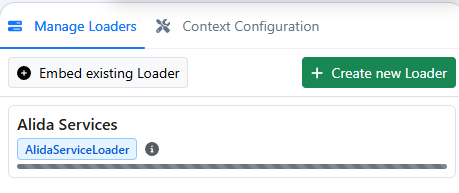
In the Manage Loaders tab on the right of the chat:
- Embed existing Loader opens the list of available Loaders: click + next to the one you want;
- Create new Loader creates a Loader and embeds it in one step.

While the documents are being embedded, the Loader shows a progress bar. Wait for it to finish before asking questions about those documents.
Configure the context
The Context Configuration tab sets the models and the retrieval parameters of the Rag. A new Rag starts with the defaults of the installation, so you only need to change what you want different. Change the values and click Save Configuration.
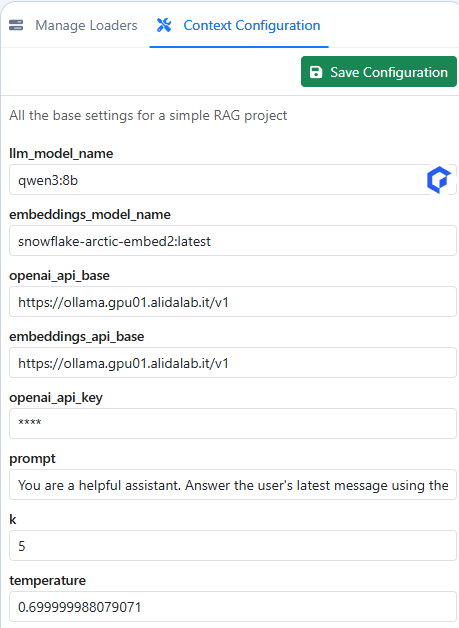
| Parameter | Meaning |
|---|---|
llm_model_name | The LLM that writes the answers, for example qwen3:8b. |
embeddings_model_name | The model that turns chunks and questions into embeddings, for example snowflake-arctic-embed2:latest. |
openai_api_base | Base URL of the OpenAI-compatible API that serves the LLM. |
embeddings_api_base | Base URL of the OpenAI-compatible API that serves the embeddings model. |
openai_api_key | API key for those endpoints. It is always shown masked (****); leave it as it is, or empty, to use the key of the installation. |
prompt | System prompt: tells the LLM how to use the retrieved chunks to answer. |
k | How many chunks are passed to the LLM for each question (default 5). Higher values give more context but longer, slower prompts. |
temperature | Randomness of the answers (default 0.7). Lower values give more deterministic answers. |
Changing the embeddings model
Chunks and questions must be embedded with the same model. If you change embeddings_model_name after the Loaders have been embedded, embed them again.
Troubleshooting
| Symptom | Cause and solution |
|---|---|
| No Loaders found for this chat | No Loader is embedded in the Rag. Embed one from Manage Loaders. |
| The answers ignore your documents | The embedding is still in progress, or k is too low. Wait for the progress bar to finish, or raise k. |
| The Loader test fails | The datasource, path or URL is not reachable, or your user cannot access it. Check the Loader fields. |
| Text extracted from PDF or DOCX is empty or garbled | Use DoclingS3DirectoryLoader instead of CustomS3DirectoryLoader. |
| Some files of the folder are missing from the chunks | With the Docling classes, files in formats docling does not accept are skipped. |
| A catalogue Loader loads fewer items than expected | The Loader's Privacy Level filters the items: a Team Loader skips private items. See Loader classes. |