API Key
API Key Management
It is possible to access the API Key management panel through the side menu, as indicated in the figure:
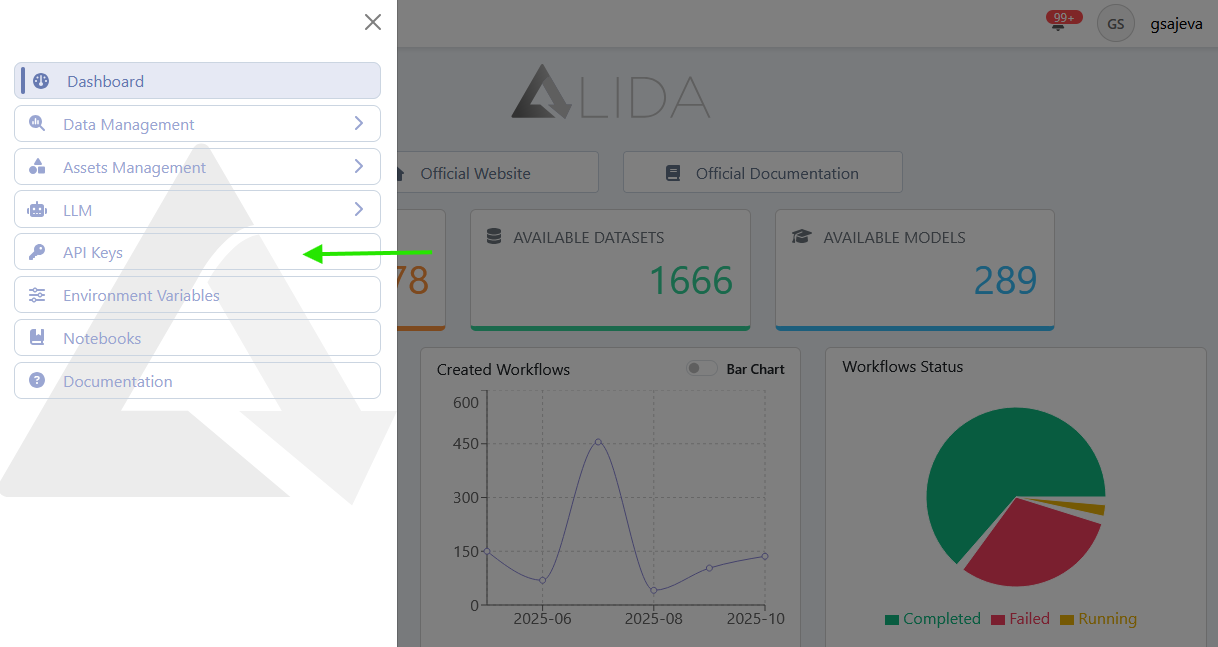
API Key Visualization
Once the management page is reached, it will be possible to:
- View the list of API Keys that the user has previously generated
- Search among these
- Create API Keys
- Delete API Keys
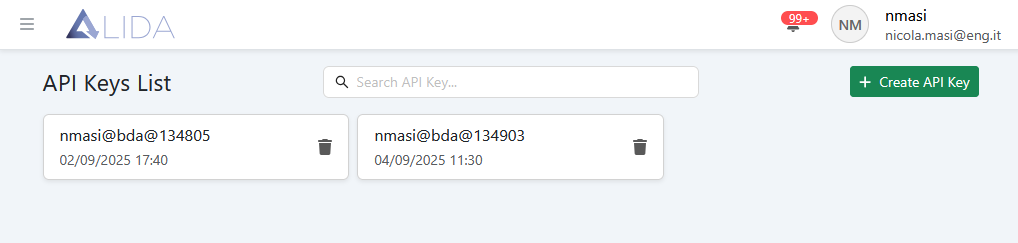
API Key Creation
Clicking on  will open the API Key creation panel:
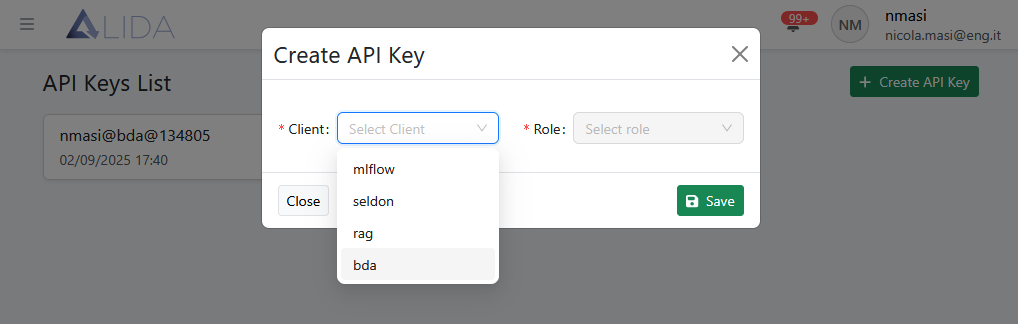
From here, select:
- A
Module: ALIDA module to which you want to access through the API Key. These include:- bda: to generate a key for access to a Workflow that exposes REST endpoints
- A
Role: entity managed by the selected module inModuletowards which you want to authorize access.- In the case of a
Moduleof typebda, it will be possible to select one of the Workflows
- In the case of a
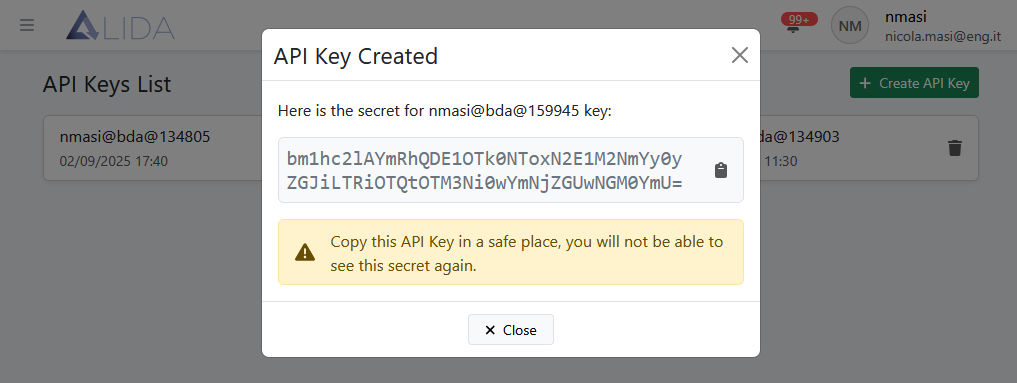
Once you click on Save, the generated key will be displayed:
Key saving
The key must be kept safe, as it will no longer be possible to copy it
API Key Deletion
Clicking on  will allow
to delete the related API Key.
will allow
to delete the related API Key.
API Key Usage
Accessing endpoints exposed by Workflows
Let's assume we have created a Workflow with a Service that exposes a REST-type port.
If we wanted to access the endpoint exposed through the API Key, we would need to create a new API Key
with Module = bda and Role = id-of-workflow-containing-the-service.
At that point, using it in a REST call as indicated below, it will be possible to access the endpoint:
curl --header 'Authorization: Apikey <api-key>' \
      --location 'https://alida.<your-domain>/events/bda/<bda-id>/<service-id>/<path-based-on-your-app>'
Advanced API Key Usage
Accessing Alida Platform REST Resources
It is possible to use an API Key to access, with read and/or write permissions, to Alida REST resources such as:
- Datasources
- Datasets
- Services
- etc.
At API Key creation time, select:
- Module:
alida - Role:
roles corresponding to permissions to be associated to the API Key
as shown here:
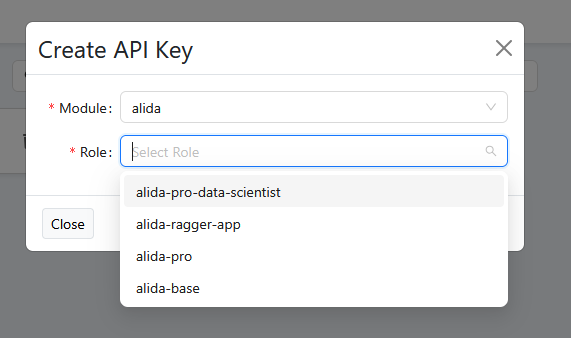
At that point, it will be possible to make a REST call as shown below. The role associated to the API Key also determines the type of allowed HTTP methods (GET, PUT, POST):
curl --header 'Authorization: Apikey <api-key>' \
      --location 'https://alida.<your-domain>/events/alida/api/v1/<resource-name>'
<resource-name> can accept values such as, for instance:
datasourcesservicesmodelsetc.