Control Panel
The control panel - reserved for admin users - offers access to a series of additional management functionalities.
To access it, use the side menu:
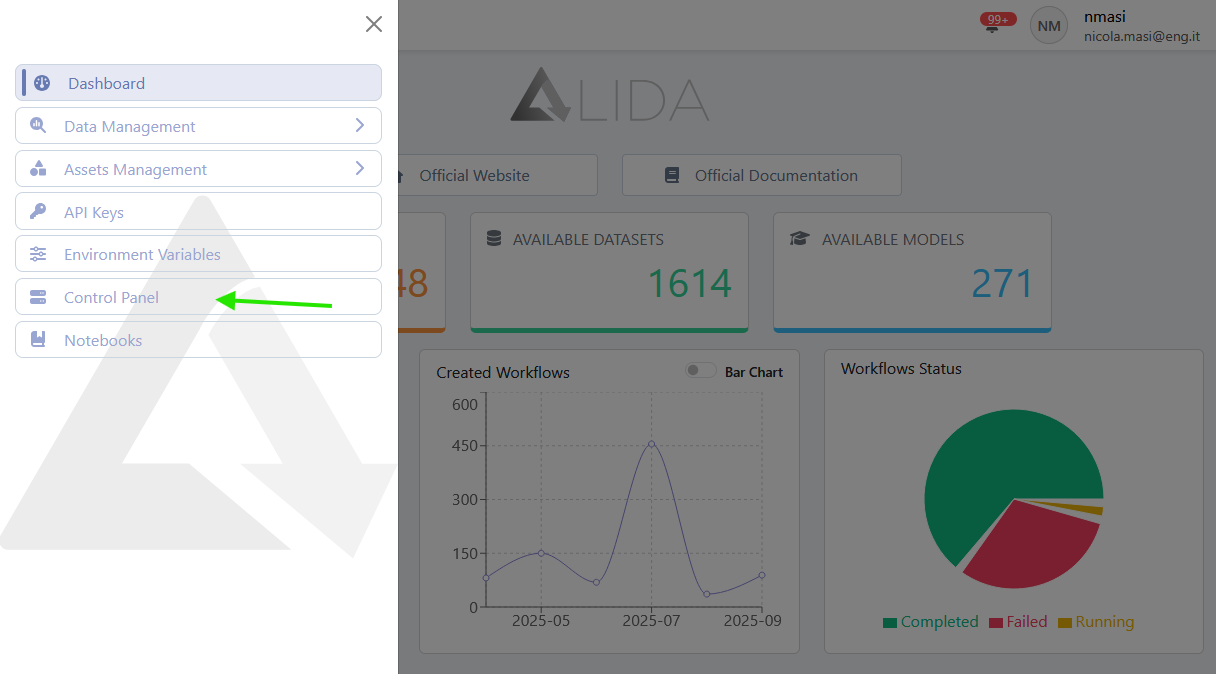
Once inside the control panel page, the following functions will be accessible:
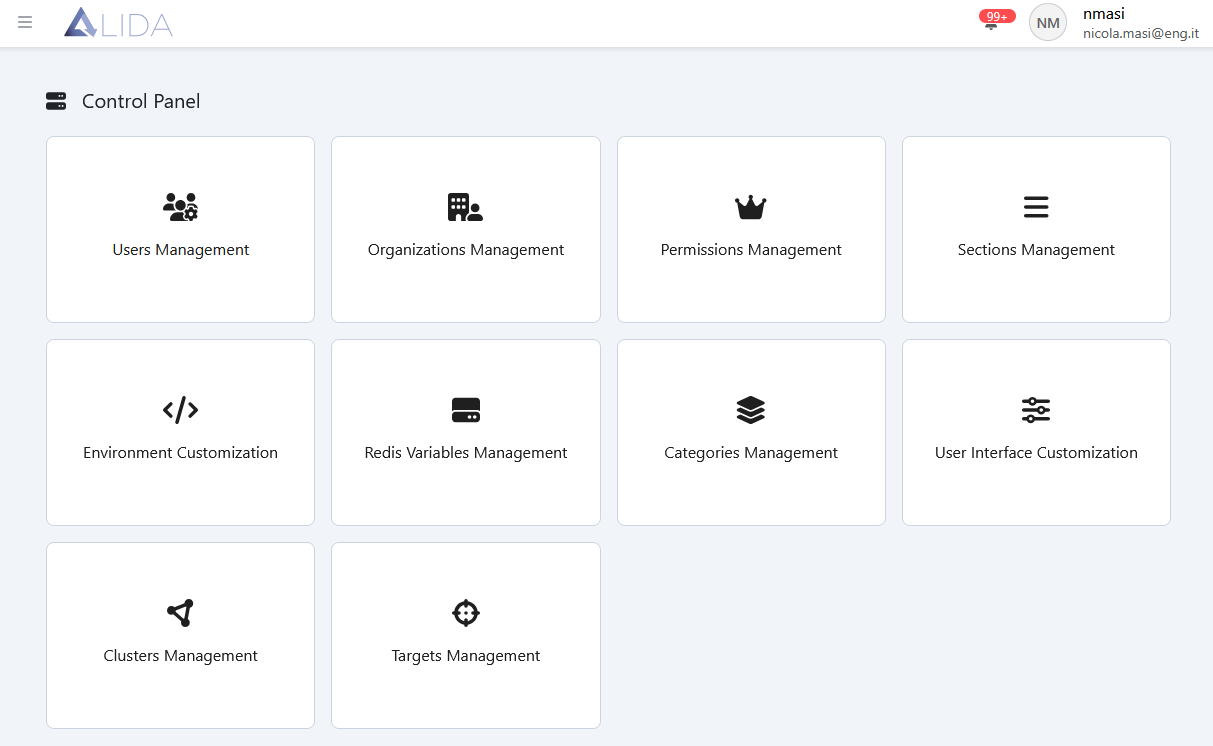
- Users Management: creation, modification, viewing and deletion of users
- Organizations Management: creation, modification, viewing and deletion of organizations
- Permissions Management: creation, modification, viewing and deletion of permissions and their assignment
- Sections Management: creation, modification, viewing and deletion of the various sections and subsections of the platform
- Environment Customization: customization of env.js variables
- Redis Variables Management: creation, modification, viewing and deletion of Redis variables
- Categories Management: creation, modification, viewing and deletion of the categories used by the services
- User Interface Customization: possibility to change logos and colors of the platform
- Clusters Management: creation, modification, viewing and deletion of clusters
- Targets Management: creation, modification, viewing and deletion of targets