Datasource
A Datasource is a set of parameters (metadata) identifying a connection to a storage system.
Datasource Management
You can access the datasource management panel from the sidebar menu:
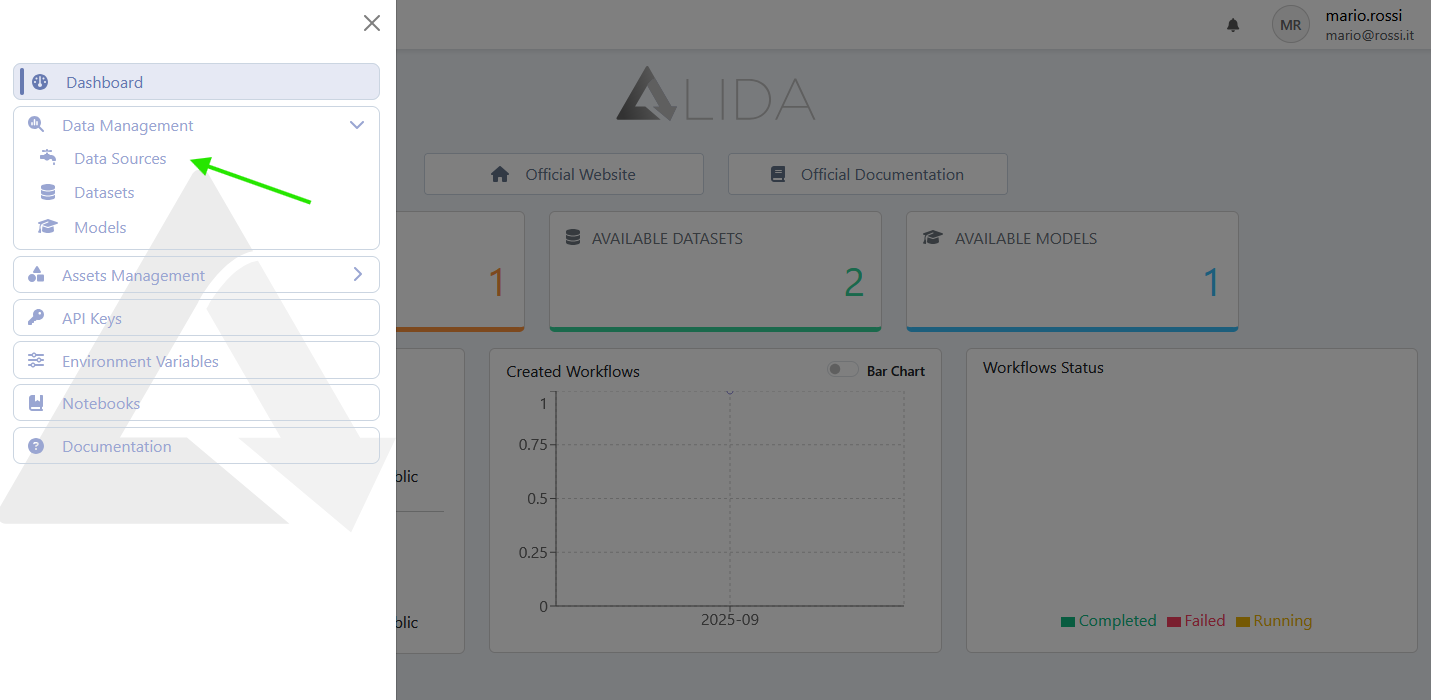
Viewing Datasources
Once you open the datasource management panel, you will see the list of available datasources, which can be:
- Created by the user, or
- Created automatically by the system, e.g.
- public: available to all authenticated users of the platform
- <username-bucket>: private for the authenticated user
- <team-name>: available to all users belonging to the respective Team
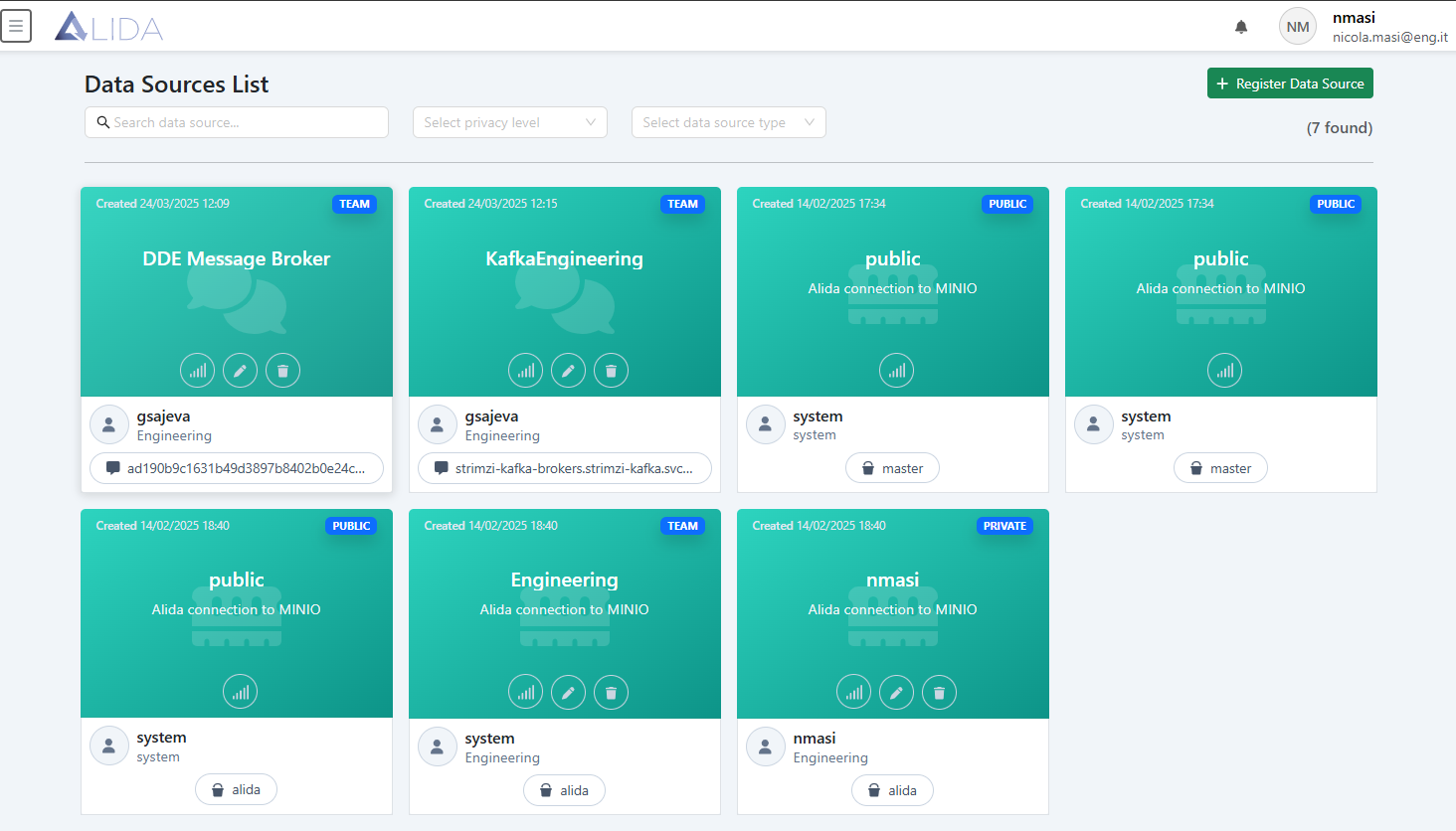
For each of the datasources shown, it will be possible (based on the permissions held):
- Verify the stability of the connection to it
- Modify
- Delete
Registration / Modification of Datasource
From the datasource management panel you can:
- Register a new datasource by clicking on + Register Data Source in the top right
- Modify an existing datasource by clicking on the relative icon (
 )
)
In both cases, the datasource registration/modification form will open:
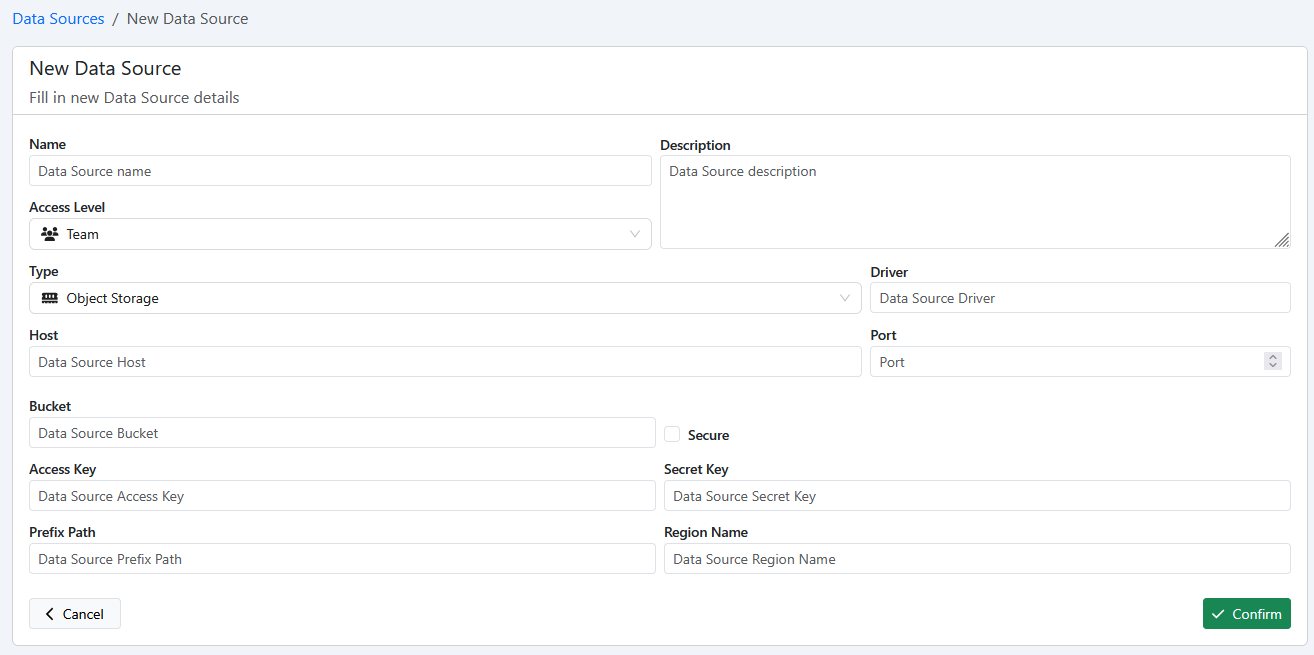
During completion, you will need to initially populate the fields:
- Name
- Description
- Access Level
- Type
- Message Broker: for streaming type datasources
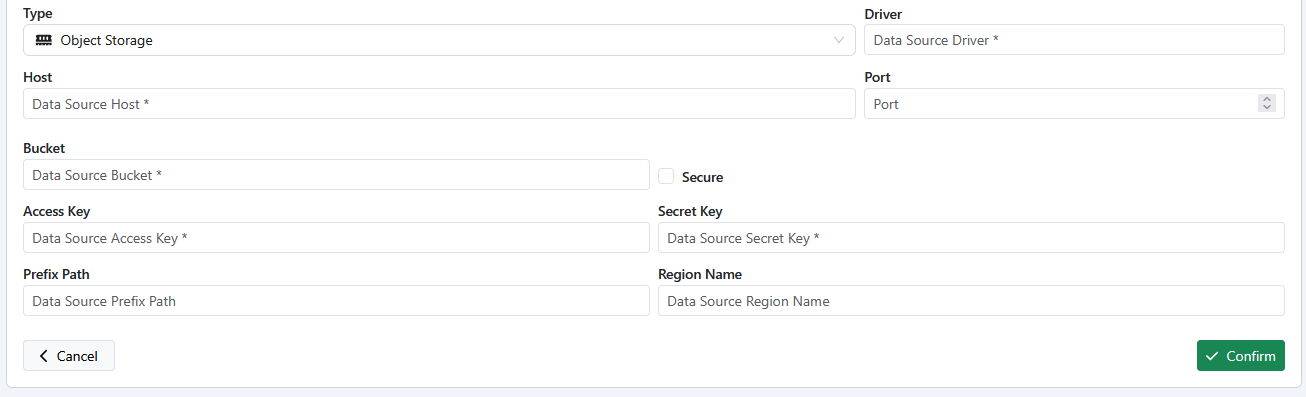
- Object Storage: for object stores like e.g. MinIO or S3
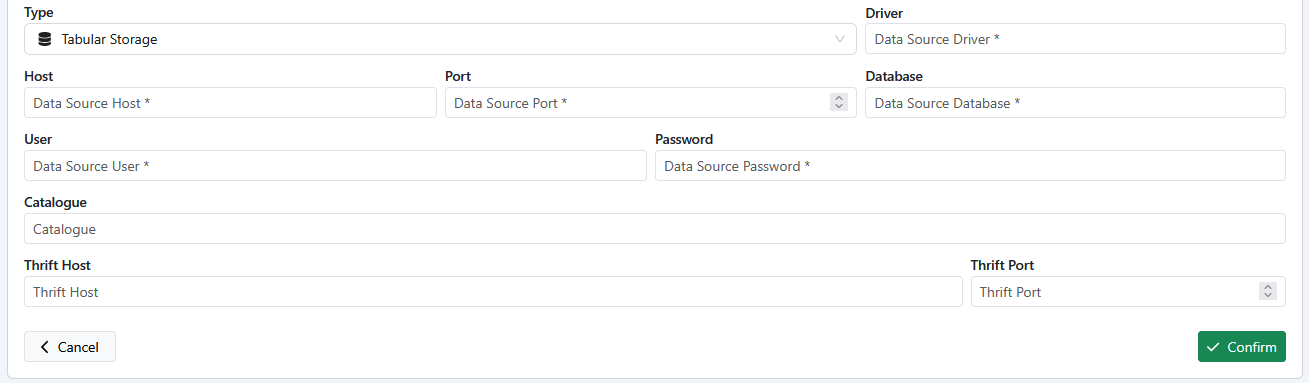
- Tabular Storage: like e.g. MySQL
- FileSystem Storage
- Driver:
- If Type = Object Storage, then Driver =
"s3" - If Type = Message Broker, then Driver =
"kafka" - For other Type, then Driver =
"any"
- If Type = Object Storage, then Driver =
Subsequently, based on the selected datasource Type, additional fields will appear.
For Message Broker:
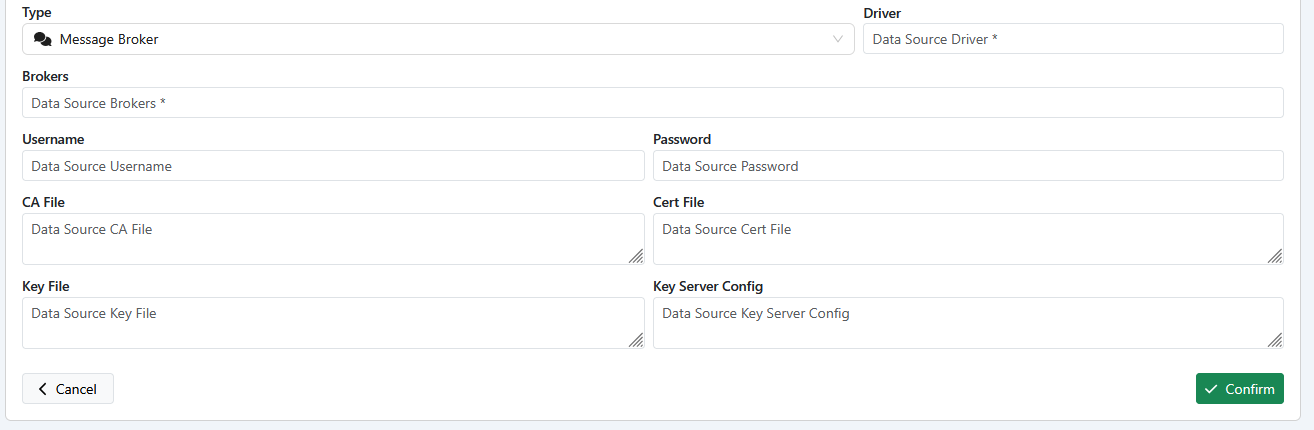
For Object Storage:
For Tabular Storage:
For Filesystem Storage:
