Palette
On the left side of the Designer is the palette. It contains the elements that can be dragged onto the canvas to assemble a Workflow.
The elements are grouped into three tabs:
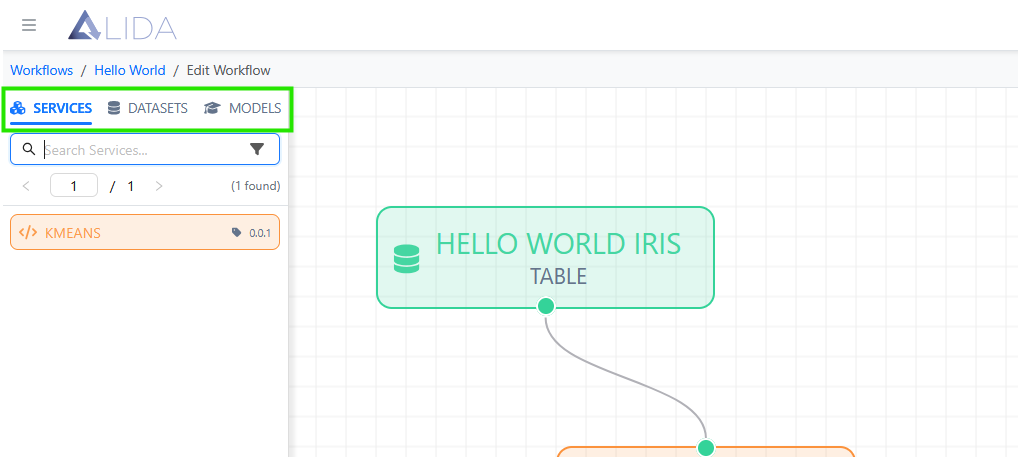
- Services: a list of micro-application services available to build the Workflow.
- Datasets: the datasets registered on ALIDA.
- Models: the available Machine Learning models.
All three sections of the palette have:
- A search bar to quickly find the desired element.
- pagination system.
Let's now take a closer look at the individual sections.
Services
Here is the list of available Services, identified by:
- Name (e.g.:
KMEANS,LINGOJAM-TRANSLATOR,TF-REGRESSOR-MLFLOW) - Version (e.g.:
1.0.1,1.0.2) - Orange block

The Services section of the Palette, offers the additional possibility of filtering the Services in the list by:
- Categories: labels related to the type of function implemented by the Service (e.g. Analysis, Processing, Reporting, ...)
- Frameworks: labels related to the technologies used to implement the Service
- Tags: generic purpose labels
Note
Labels can be created by the administrator through the Control Panel.
To access the filtering panel, follow the steps illustrated in the following images:
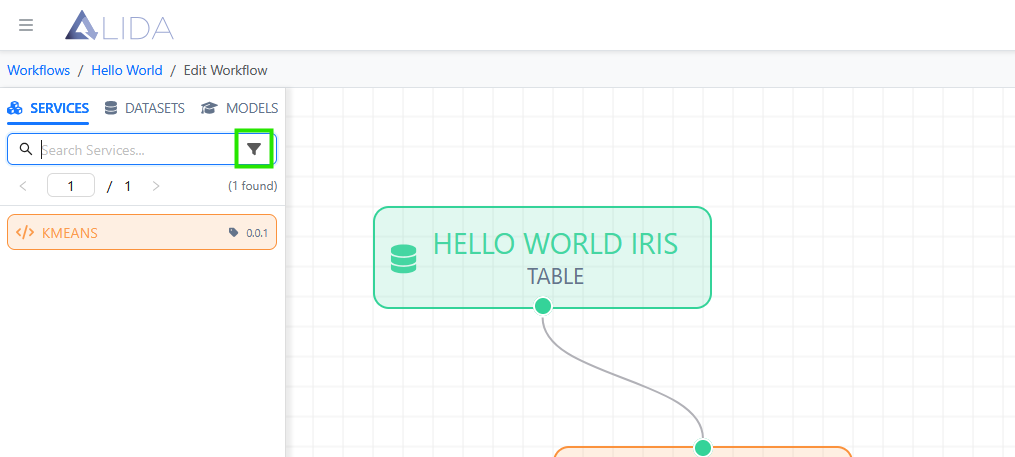
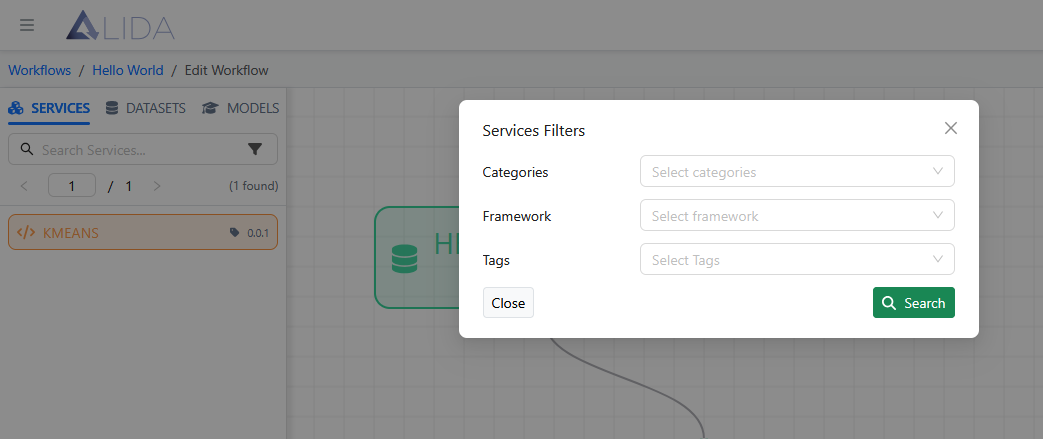
This filter allows you to navigate more easily the list of services and quickly select only those relevant to the area of interest of the Workflow you are building.
Datasets
Within the Datasets section we find the list of available datasets, identified by:
- Name (e.g.
IRIS,TESTER,SCIKIT-LEARN/AUTO-MPG) - Type (e.g.
TABLE- tabular structured dataset) - Green block

Models
Within the Models section, we instead find the list of available models, identified by:
- Name (e.g.
MODEL CREATED BY TEST MLFLOW,MODEL CREATED BY KNN ON NOCC). - Creation date and time
- Blue block
