Workflow Template Management
A Template is a special, non-executable copy of a Workflow available in the catalog as a basis for creating new Workflows.
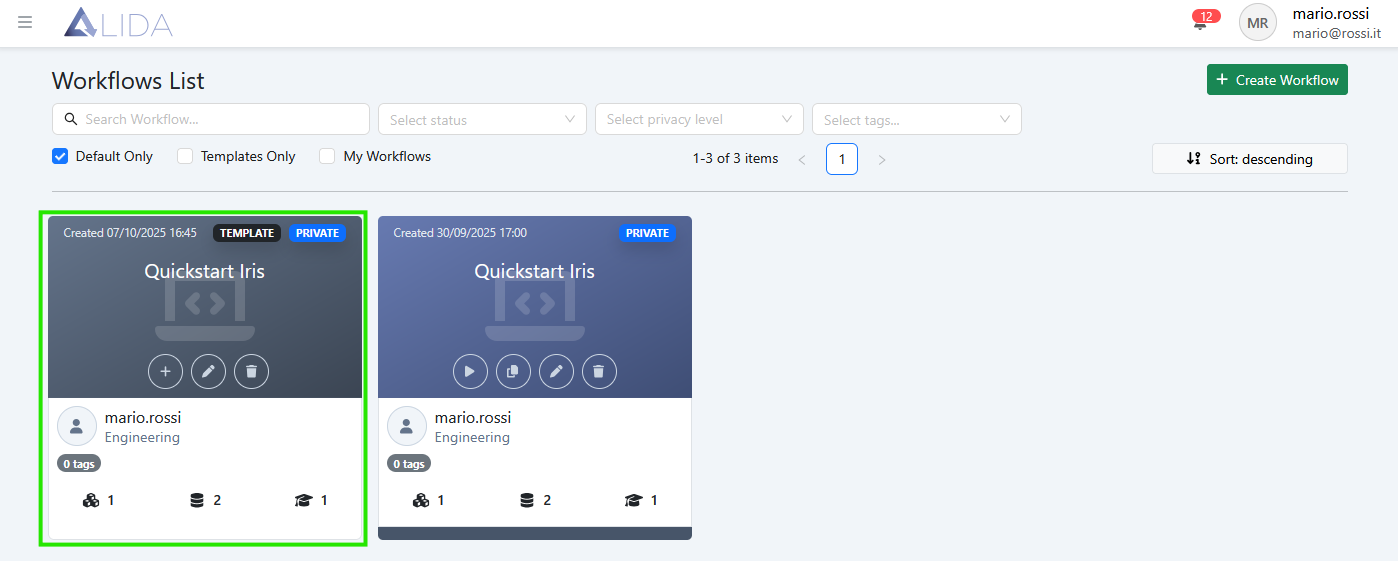
| Function | Button |
|---|---|
| Create Template from Workflow |  |
| Instantiate Workflow |  |
| Edit Template |  |
| Delete Template |  |
Template Creation
Clicking on ,
within a Workflow card, will allow you to create the corresponding Template.
Workflow Creation via Template Instantiation
Clicking on ,
a standalone Workflow will be created from the Template.
Template Editing
Clicking on ,
you will be able to modify the Workflow Template as you would with a regular Workflow through the Workflow Designer.
Changes made to a Template will not affect Workflows created before the modification.
Template Deletion
Clicking on ,
the Template will be deleted without affecting the Workflows created from it.