I/O Ports of the Service
I/O Ports represent the input and output interfaces of the Service and allow it to interact with other Assets ALIDA (Datasets, other Services, Models) within a Workflow.
They can be of the following types:
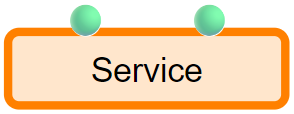
- 🟢 Green circle: ALIDA Dataset
- 🔵 Blue circle: Machine Learning / mathematical Models
- 🟩 Green rectangle: Generic I/O (intermediate data)
- 🟪 Purple square: Streaming data flow
- (Invisible): REST API Endpoint
As seen during the tutorial on creating a Service, to define an I/O Port for a Service it will be necessary:
- Create a series of command-line arguments at the core program level.
- Create Service Properties for each I/O Port and/or configuration Parameter.
In this chapter we will focus on the first point, that is, we will see which command-line arguments need to be managed from the core program. For the second point we refer to the chapter Service Registration
Input Ports
For Input Ports, the core program must manage a series of arguments dependent on:
- Port type
- Datasource type
Note
During execution, ALIDA will pass a series of command-line arguments valorized to the Service. Make sure that the core program ignores those that are not to be managed.
For example in Python this can be achieved with the use of parse_known_args() of argparse.
For each type of port we will now give a definition and provide further details about the corresponding arguments for the core program, grouping them into two categories:
- Base arguments: determine the type of port. For these, the user must define the respective Service Properties when registering the Service.
- Datasource-specific arguments: are generated, valorized and passed automatically by ALIDA
to the core program based on:
- Base arguments
- Datasource
Dataset Type
| Symbol | Definition | Examples |
|---|---|---|
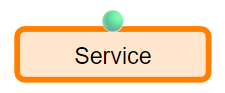 |
Accesses a position within one of the batch Datasources defined in ALIDA.The Batch Datasources are: - Object Store- Tabular- Filesystem | Example 1Example 3Example 4 |
Base arguments
--input-dataset
It will be valorized with the path to the folder containing the Dataset (without a trailing '/') It is necessary to take into account during the writing of the core program that such folder may generally contain one or more files.
--input-columns (special | optional)
This parameter is useful if dealing with tabular Datasets. When it is specified, ALIDA will:
-
Show, at the click on the port, a checkbox for each column of the table on the UI.
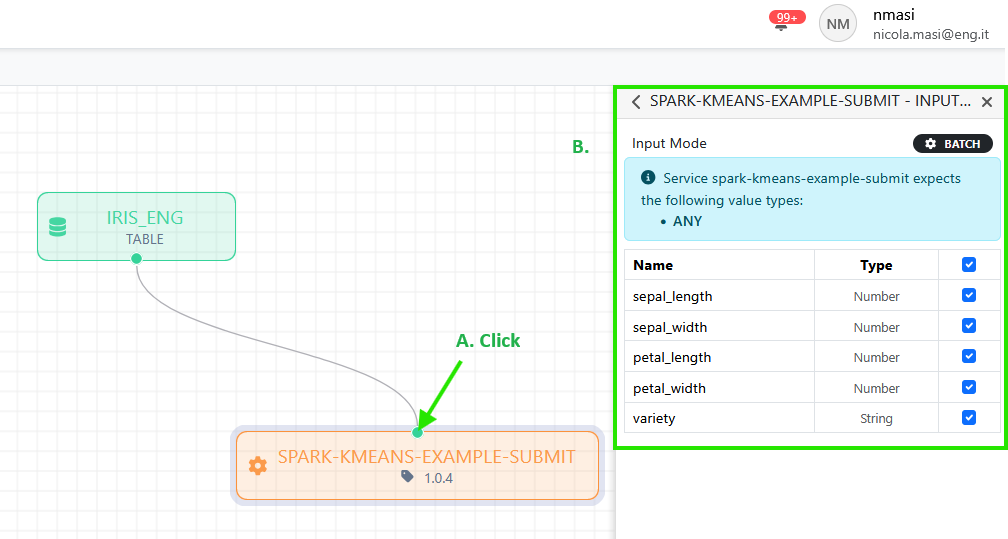
Workflow Designer - input port details -
Pass to the core program, separated by commas, the names of the columns selected from the UI as the value of the
--input-columnsargument or as*to indicate the entire datasetEx.
--input-columns=sepal_length,sepal_width,petal_length,petal_width,variety
At that point the user will be able to use such list to implement the reduction of the Dataset columns on the core program side.
Datasource-specific arguments
A subset of arguments passed automatically by ALIDA to the core program contains those specific to the Datasource
In the case of a Datasource of type Object Storage, the following command-line arguments will be passed:
| Argument | Value | |
|---|---|---|
--input-dataset.storage_type |
s3 |
(fixed) |
--input-dataset.use_ssl |
False or True |
(based on the default value entered by the user for "Secure" when defining the Datasource) |
--input-dataset.direction |
input |
(fixed) |
--input-dataset.id |
id of dataset as in the ALIDA catalogue | |
--input-dataset.s3_bucket |
bucket name | |
--input-dataset.s3_URL |
object store URL | |
--input-dataset.s3_ACCESS_KEY |
access key for the object store | |
--input-dataset.s3_SECRET_KEY |
secret key for the object store | |
--input-dataset.s3_REGION |
region for the object store |
Model Type
| Symbol | Definition | Examples |
|---|---|---|
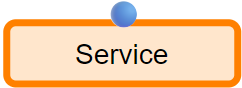 |
Accesses the position of a Datasource containing a model | Example 3Example 4Example 5 |
Base arguments
| Argument | Value | |
|---|---|---|
--input-model |
path to the folder containing the model |
Datasource-specific arguments
As for Dataset port. With the difference that --input-dataset becomes --input-model
Example:
| Argument | Value | |
|---|---|---|
--input-model.storage_type |
s3 |
(fixed) |
--input-model.use_ssl |
False or True |
(based on default value or entered by the user) |
--input-model.direction |
input |
(fixed) |
--input-model.id |
id of dataset as in the ALIDA catalogue | |
--input-model.s3_bucket |
bucket name | |
--input-model.s3_URL |
object store URL | |
--input-model.s3_ACCESS_KEY |
access key for the object store | |
--input-model.s3_SECRET_KEY |
secret key for the object store | |
--input-model.s3_REGION |
secret key for the object store |
Generic I/O Type (for intermediate data)
| Symbol | Definition | Examples |
|---|---|---|
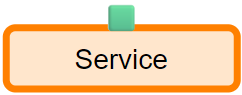 |
Accesses a temporary volume managed internally by ALIDA and independent of the cataloged Datasources | Example 8 |
Base arguments
Apart from the arguments for Workflow Media, no other arguments are required.
It will be necessary to define an appropriate Service Property (see Service Registration) and at that point the core program will find, on the Docker container filesystem that encapsulates it, a folder to write or read data.
Datasource-specific arguments
See Base arguments above
Streaming Type
| Symbol | Definition | Examples |
|---|---|---|
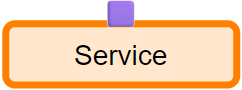 |
Accesses a topic of a Message Broker (e.g. Kafka) type Datasource | Example 2Example 5 |
Base arguments
| Argument | Value | |
|---|---|---|
--input-dataset |
topic name |
Datasource-specific arguments
| Argument | Value | |
|---|---|---|
--input-dataset.kafka_brokers |
list of broker URLs (e.g. a Kafka cluster) |
REST API Type
The REST API port allows a REST endpoint to be exposed by the Service and made accessible through a browser using a specific URL.
There are no specific arguments for the core program. It will be sufficient to define a Service Property as indicated in Service Registration - REST API Port.
Once the Service Property is registered, a user will be able to copy the URL of the endpoint by clicking on it within the panel on the right side of the Workflow Designer and visit the endpoint with a browser.
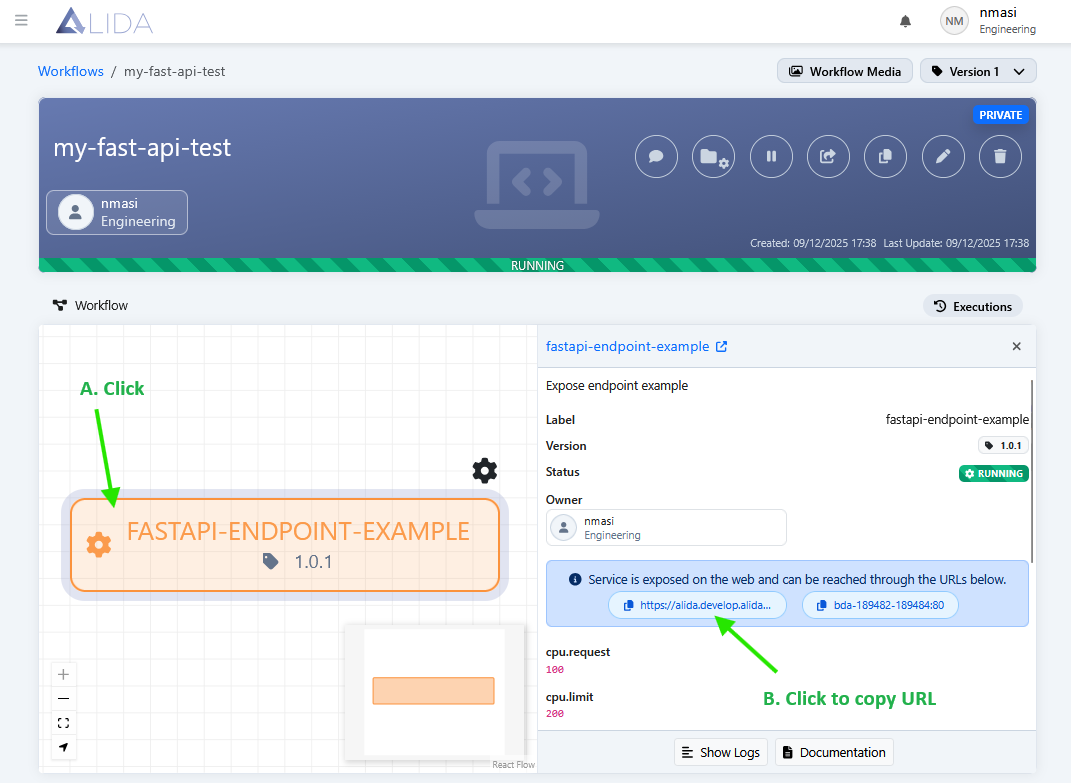
Authenticated users with the necessary permissions to access the Workflow containing the Service can access the endpoint.
It is also possible to access the endpoint programmatically using the API Keys
Output Ports
The same conventions described for input ports apply to output ports
For dataset, model and streaming ports, --input becomes --output. Therefore:
--output-dataset,--output-model
Multiple Ports
It is possible to specify multiple input or output ports. For example, to define N input ports of dataset type, define the arguments:
--input-dataset-<X> with X from 1 to N incrementally.
Example
To define three ports, it will be necessary to define the following arguments:
--input-dataset-1 --input-dataset-2 --input-dataset-3
If the dataset is tabular, also add the corresponding --input-columns:
--input-columns-1 --input-columns-2 --input-columns-3
Note
Each --input-columns-<X> corresponds to --input-columns-<X> for the specific value of X
In a similar way, it is possible to specify arguments for other types of ports:
| Port Type | Name argument | Notes | Effect on Service |
|---|---|---|---|
| Dataset | --input-dataset-1 --input-dataset-2 |
Also specify: --input-columns-1 --input-columns-2 |
 |
| Model | --input-model-1 --input-model-2 |
N/A | 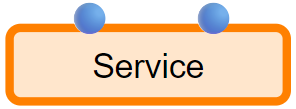 |
| Generic I/0 | INPUT GENERIC I/O |
N/A | 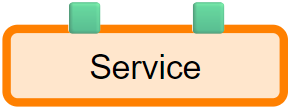 |
| Streaming | N/A | Having multiple input streaming ports is not supported | N/A |
| REST API | Coming soon... | Coming soon... | Prossimamente... |
Mixed Ports
It is possible to mix ports of different types, with different cardinalities
| Ports | Effect on Service |
|---|---|
--input-dataset-1 --input-dataset-2 --input-columns-1 --input-columns-2 --input-model |
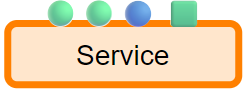 |
Configurable execution parameters
To define the auxiliary parameters for the Service, it is necessary to add the corresponding command-line argument to the core program.
Names that do not use the reserved prefixes are valid:
--input-dataset--input-columns--input-model
Example
Names like --n_clusters, --threshold, --n_rounds, etc. are valid.