ADK Agent
The ADK Agent is a custom agent implemented with ADK and intended as a scaffolding example for ALIDA. It is a long-running service that exposes both native ADK APIs and an OpenAI-compatible wrapper. Its initial structure can be adapted by changing the prompt and integrating MCP servers to create agents dedicated to specific tasks or an orchestrator for external capabilities.
It can act as an orchestrator, but that is not its only use. Prompt customization and MCP server integration make it possible to gather information, coordinate remote tools, or combine functionality exposed by one or more ALIDA services configured as MCP servers.
The agent can connect to ALIDA services exposed as MCP servers, such as BraveSearch, GitLab, or other ADK agents. It can also be exposed as an MCP server, allowing it to be used by other agents, for example the OpenCode agent. Its behavior depends on the connected MCP services, prompt customization, and the agent's runtime decisions.
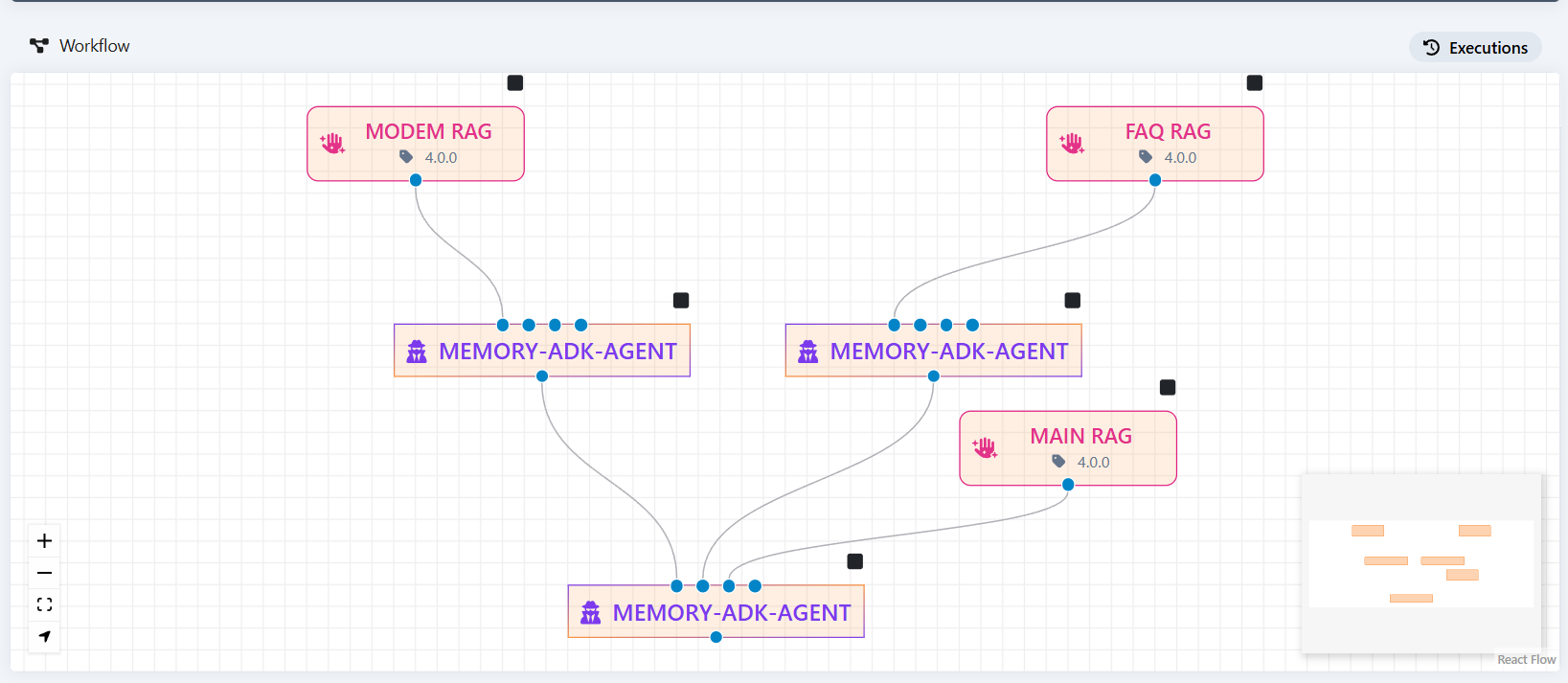
The native ADK APIs let you invoke the agent directly and manage its sessions and state. The following example sends a message to the /run endpoint; replace AGENT_URL with the instance base URL and memory_agent with the name of the configured ADK application.
curl -X POST "$AGENT_URL/run" \
    -H "Content-Type: application/json" \
    -d '{
        "appName": "memory_agent",
        "userId": "alice",
        "sessionId": "session-001",
        "newMessage": {
            "role": "user",
            "parts": [{"text": "What is my name?"}]
        }
    }'
The OpenAI wrapper lets you use clients and interfaces already compatible with this standard, such as Open WebUI and LangChain. To obtain the available models:
To send a message through the OpenAI-compatible /v1/chat/completions endpoint:
curl -X POST "$AGENT_URL/v1/chat/completions" \
    -H "Content-Type: application/json" \
    -d '{
        "model": "memory_agent",
        "messages": [
            {"role": "user", "content": "What is my name?"}
        ],
        "user": "alice",
        "session_id": "session-001"
    }'
The additional user and session_id fields are not part of the OpenAI standard: the wrapper uses them to associate the request with a user and retain conversational memory.
The agent development UI is available at the BDA URL with the /dev-ui/ suffix:
For example:
Trailing slash required
The UI URL must end with /. The address without a trailing slash might not load interface resources correctly.
After deploying and starting the agent, connect its OpenAI-compatible endpoint to the BDA chat by following Configure an agent in chat. For request tracing and governance, see Observability with MLflow.